Skip to content

Choosing a switch for the ports you will actually fill

A switch is the least glamorous purchase on this site and frequently the one that changes a household most, because every device it takes off the air gives that air back to the devices which have no choice. Four questions decide which one, and none of them is about a headline figure.

Count the ports twice before anything else

Two counts, answering two different questions.

The first is what plugs in today, in the room where the switch will live: every fixed device, plus any access point, plus the uplink back towards the router. The uplink is the one people forget, and it costs a port.

The second is what you would have to replace the switch to reach. A five-port unit with four devices and an uplink is already full, and the fifth device arrives sooner than expected. Ports are inexpensive at purchase and expensive later, so buy the next size up unless space genuinely forbids it.

Unmanaged, smart or fully managed

Unmanaged switches have no configuration. They are plugged in and they work, indefinitely, and nothing about them can be misconfigured or locked out. For the overwhelming majority of homes this is the right answer and the story ends here.

Smart or web-managed switches add a web page with a modest set of controls: separated networks, port speed and duplex, basic monitoring, sometimes link aggregation. They are the middle ground, and they are worth it when you have a specific reason.

Fully managed switches add a command interface, richer control and the reporting an installation with many devices needs.

The trap is buying management as insurance. A managed switch you never configure behaves exactly like an unmanaged one, plus a password you will have forgotten by the time it matters.

Port speed, and where the ceiling really sits

A gigabit port is the ordinary case, and for a household moving documents and streaming video it is rarely the limit.

Multi-gigabit ports are worth it only where both ends can use them. A storage enclosure with a fast port and a desktop with a matching adapter is the classic pair, and the switch between them is the third piece. Where either end is gigabit, the pair is gigabit and the switch has changed nothing.

Read the port table carefully, because mixed units are common: a switch may offer a couple of faster ports and the rest at a gigabit, which is often exactly the right shape and is not the same product as one where every port is fast.

Fibre cages, and when they matter at home

Some switches carry cages for pluggable optical modules. In a home this matters in one situation: a run between buildings, or a run long enough that copper’s channel limit is a problem, where fibre and a pair of matched modules solve it cleanly.

The thing to check is what the switch accepts. Compatibility is a question about what the switch’s own documentation lists, not about the shape of the cage — modules that fit physically are not automatically modules that the switch will bring up.

Noise, heat and where it lives

A small unmanaged switch is generally fanless and silent, and can live on a shelf in a bedroom. As port counts rise, as multi-gigabit ports appear and as power delivery is added, active cooling becomes normal, and the noise of a rack-mounted unit designed for a plant room is not a noise anybody wants beside a desk.

Read what the maker publishes about cooling and about the clearance the unit needs, and think about where it will actually sit. A cupboard is a different thermal environment from an open shelf.

Power over the cable is a separate decision

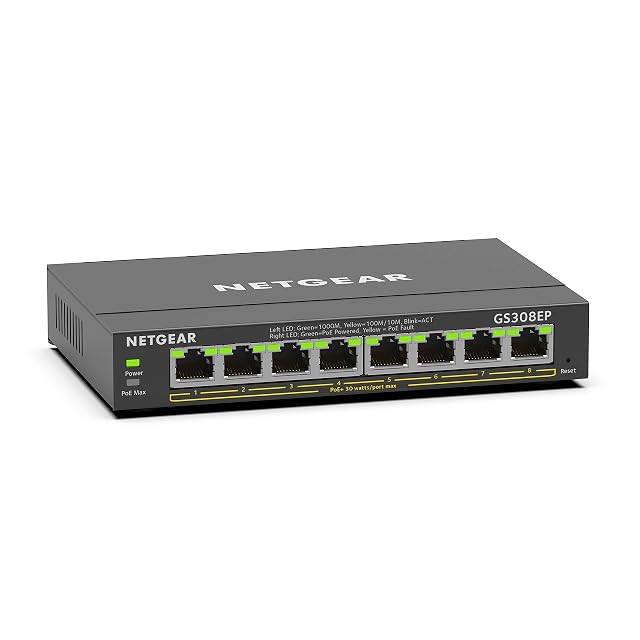
If any port will feed an access point or another device powered over its network cable, that changes the shopping list, and the figures to read are the PoE Type each device requires and the switch’s total budget rather than its per-port wattage. That comparison has a guide of its own; here it is enough to say that a switch bought without noticing the difference is a switch that will not power what you plug into it.

Anything touching the fixed electrical installation belongs to the manufacturer’s instructions and to the wiring rules where you live.
What goes in the rack, and why

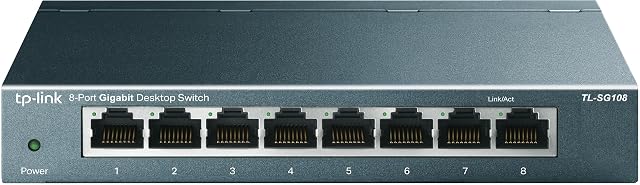
  1. TP-Link TL-SG108, eight-port unmanaged gigabit switch in a metal case

    eight gigabit sockets · unmanaged, stated · 802.1p and DSCP QoS · IGMP snooping · fanless · metal case · power adapter in the box

    An unmanaged eight-socket switch that names its traffic-priority and multicast standards and lists what arrives in the box, without printing any figure for the unit as a whole.

    Best for: A living room or study where set-top boxes and streaming devices share the wiring, and where a metal case that never needs a fan is worth the small premium.

    ≈ £22 / 21 €

  2. NETGEAR GS308, eight-port unmanaged gigabit switch with an on-off switch

    eight sockets at 1.0 Gbps · unmanaged, stated · Layer 2 · Cat5e or Cat6 named · fanless · metal case · on-off switch

    An eight-socket unmanaged switch that names the cable grades its sockets expect and puts a power switch on the case, and publishes no figure for the unit as a whole.

    Best for: A cupboard or a desk where the switch will occasionally need restarting, and where the wiring is already Cat5e or Cat6 and expected to stay that way.

    ≈ 21 €

  3. ZYXEL GS-108BV5, eight-port unmanaged gigabit switch with fixed traffic priority

    eight gigabit sockets · unmanaged, stated · 16 Gbps capacity · 11.5 Mpps · 192 KB buffer · 9 KB jumbo frames · metal · 0.57 W idle stated

    An unmanaged switch that publishes a capacity, a forwarding rate, a buffer size and an idle consumption, and prioritises voice traffic on two fixed sockets without a settings page.

    Best for: A home office running a telephone over the network, where the two priority sockets can be used as the maker intends and where the unit has to be silent.

    ≈ 19 €

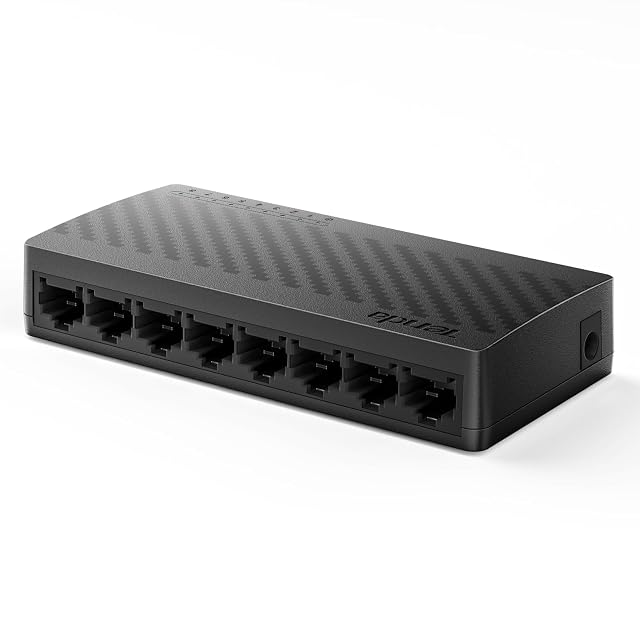
  4. UGREEN 35499EU, eight-port gigabit switch sold as plug and play

    eight RJ45 sockets · 10/100/1000 Mbit/s · fanless · desk or wall · no case material named · no switching capacity printed

    An eight-socket gigabit switch whose listing names the standards it meets and the fan it does not have, and never says what the case is made of.

    Best for: A desk or a cupboard that needs a few more wired sockets, where silence matters and where nothing plugged in will ask for power over its network cable.

    ≈ 14 €

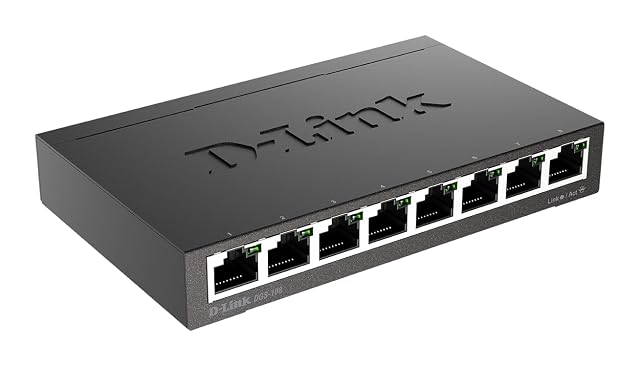
  5. D-Link DGS-108, eight-port Layer 2 gigabit switch in a metal case

    eight gigabit sockets · up to 2000 Mbit/s per socket in full duplex, stated · non-blocking architecture · Layer 2 · fanless · metal case, black

    An eight-socket gigabit switch whose headline figure counts both directions of one socket at once, and which never says where the unit is meant to be mounted.

    Best for: A shelf or a desk where the unit can simply sit, and where multicast television and a quiet metal case matter more than knowing how it mounts.

    ≈ $35 / 27 €

The questions that come up before an order

Managed or unmanaged?

Unmanaged for almost every household: it has no configuration, nothing to go wrong and nothing to forget the password to. A managed switch earns its place when you want separated networks, per-port control, monitoring or link aggregation — and it earns it as a deliberate choice, not as insurance.

Do I need multi-gigabit ports at home?

Only where two specific things at each end can use them: a storage box and a machine, typically. Buying a multi-gigabit switch to sit between a gigabit router and gigabit laptops changes nothing at all, because the ceiling is at the ends rather than in the middle.

What does the switching capacity figure mean?

It is the sum of what every port could carry at once, counted in both directions. It is a legitimate description of the chassis and it says nothing about a single transfer. A figure quoted without saying which ports it adds together is not a specification you can compare.

Should I worry about the fan?

If the switch lives anywhere people sit or sleep, yes, and it is a specification worth reading before buying. Small switches are usually fanless; port count, multi-gigabit ports and power delivery all push a unit towards active cooling, and a fan in a hallway cupboard is a different proposition from a fan in a study.

Every price named in a summary was read on the date that review carries. What a shop asks today is shown beside the product, and it moves.

The tool we use ourselves

Chosen your hardware? Now buy it at the right price.

Routers, drives and enclosures are discounted almost continuously, and a crossed-out price tells you nothing on its own about what the same reference was charged last month. UniverTrack keeps the record of what every retailer has been asking week by week, so a discount is weighed against a price that actually stood rather than one invented for the banner, and it tells you when the moment to buy is genuinely here.

Real price historyBuy-now alertsAI buying assistant
Try free for 14 days →
No commitment · Cancel in one click · 5 languages