Skip to content

A PoE switch that will actually power what you plug into it

Every PoE switch publishes two power figures, and buyers read the wrong one. The per-port wattage says what a single port may offer; the total budget says how many ports may offer it at the same time — and it is the budget that decides whether the last access point comes up.

Read the Type, not the trade name

The specification is a Type number, published by the IEEE, and it comes with a pair of wattages.

802.3af, Type 1: up to 15.4 W at the switch port, 12.95 W guaranteed at the device, delivered over two of the four pairs.

802.3at, Type 2: up to 30 W at the port, 25.5 W at the device, with an additional classification step through which the source and the device confirm each other. The higher allowance is granted by that exchange rather than assumed, which is why two devices that both say “PoE+” can behave differently on a switch that supports only one of the two methods.

802.3bt, Types 3 and 4: 60 W and 90 W respectively at the port, on all four conductors, each with its own lower guaranteed figure at the device.

Names printed on boxes and injectors — the various “plus” and “ultra” words — are marketing rather than specification. The Type number and the published wattages are what two data sheets can be compared on.

The budget is the number that decides your installation

A switch with eight PoE ports rated at 30 W each does not necessarily supply 240 W. Its total budget is a separate figure, often considerably lower, and it is the ceiling for everything drawing at once.

So the calculation is: add the requirement of every powered device you intend to attach, taken from each device’s own data sheet, and compare the sum with the budget. Then leave headroom, because devices draw their maximum at inconvenient moments — an access point with several clients, a device starting up — and a budget spent exactly is a budget that fails intermittently, which is the worst way for it to fail.

Where a switch mixes PoE and non-PoE ports, check which ports are which. It is a common and sensible design, and it is also a common reason for a device not powering up.

Match the switch to the devices, in that order

Work from the far end back. List what has to be powered — access points on ceilings, a phone, a small appliance that takes power over its network cable — and read the Type each one requires from its own documentation.

A device specified for Type 2 will not settle on a source that offers only Type 1; it will either fail to start or restart repeatedly, which looks like a fault in the device. Buying the switch first and discovering this afterwards is the ordinary sequence, and it is worth reversing.

Then check the run. The two published wattages differ because the cable between them takes a share, and a long run to a loft is where that share is largest.

Port speed and PoE are independent decisions

A switch can deliver a great deal of power over gigabit ports, or very little over multi-gigabit ones. Read the port table for speed and the power table for wattage, and do not let one imply the other.

For access points, the uplink speed of the switch port is the ceiling for everything passing through that unit. It is generally a gigabit and generally sufficient; the point is to know it rather than to discover it.

Noise, heat and where a PoE switch can live

Delivering power makes heat, so PoE switches run warmer than their plain equivalents and reach active cooling at lower port counts. A fan-cooled unit in a hallway cupboard is fine; the same unit on a shelf in a study is not.

Read the maker’s published clearance and ventilation requirements before choosing the position, and leave a rack unit of space above the switch if it is going into a cabinet.

Injectors, and when they are the better answer

For one or two powered devices, a single-port injector supplied with the unit does the job for a fraction of the price of a PoE switch, and it can sit next to an existing switch quite happily.

The switch becomes the better answer at three or four devices, when the injectors and their mains sockets have become a clutter, and when having one place to read the total budget starts to matter. Anything involving a socket added to feed an injector in a loft or a cupboard is governed by the manufacturer’s instructions and the wiring rules where you live.
What goes in the rack, and why

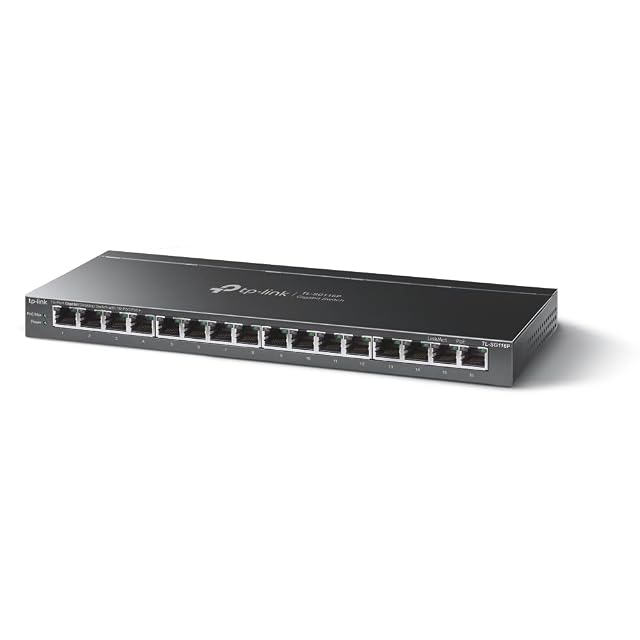
  1. TP-Link TL-SG116P, sixteen-socket switch with every socket powered

    802.3af and 802.3at · up to 30 W per socket · 120 W total · all sixteen sockets powered · priority mode on sockets 1 to 4 · fanless metal case

    A sixteen-socket switch that powers every socket without a fan, sharing 120 W between them, and reserves a fixed priority mode for the first four.

    Best for: An office or a shop with a dozen or more telephones, cameras or access points that draw modestly, where a fan would be heard all day.

    ≈ 113 €

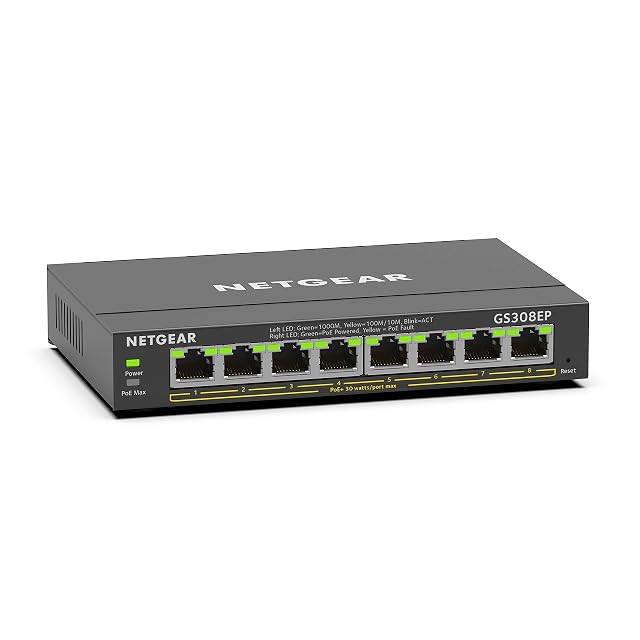
  2. NETGEAR GS308EP, eight-socket managed switch with all sockets powered

    PoE+ named, no IEEE class printed · 62 W total · eight powered sockets · managed, with VLANs and QoS · per-socket power control · fanless metal case

    A managed eight-socket switch with per-socket power control and a 62 W shared budget, whose sockets are called PoE+ without any IEEE class being printed.

    Best for: An office or a small business that wants VLANs and the ability to restart a powered device remotely, on devices that draw modestly.

    ≈ £90 / 78 €

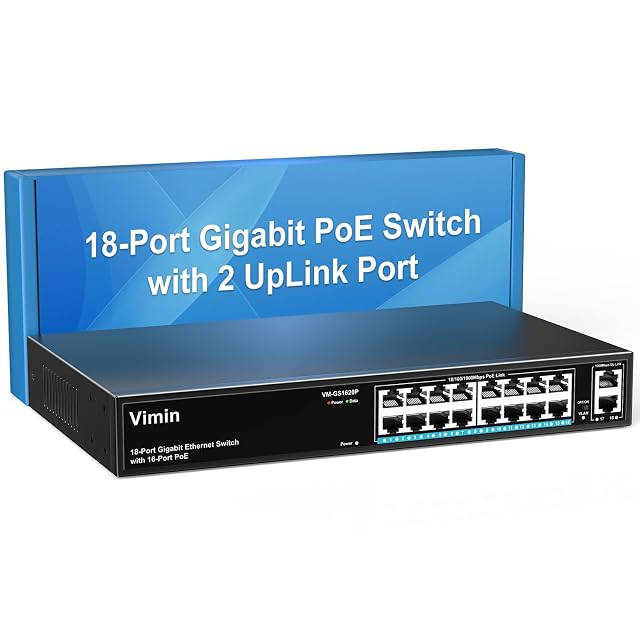
  3. UGREEN 35372EU, ten-socket gigabit switch with eight powered sockets and two uplinks

    802.3at and 802.3af · up to 30 W per socket · 60 W total · eight powered · two gigabit uplinks · 6 kV surge protection · extended mode 250 m at 10 Mbps

    A ten-socket switch with eight powered sockets and two uplinks, whose extended reach is stated together with the rate it costs, and whose cooling is never described.

    Best for: A run of cameras at the end of a long cable, where reach matters more than rate and where two spare uplinks are wanted for a router and a recorder.

    ≈ 38 €

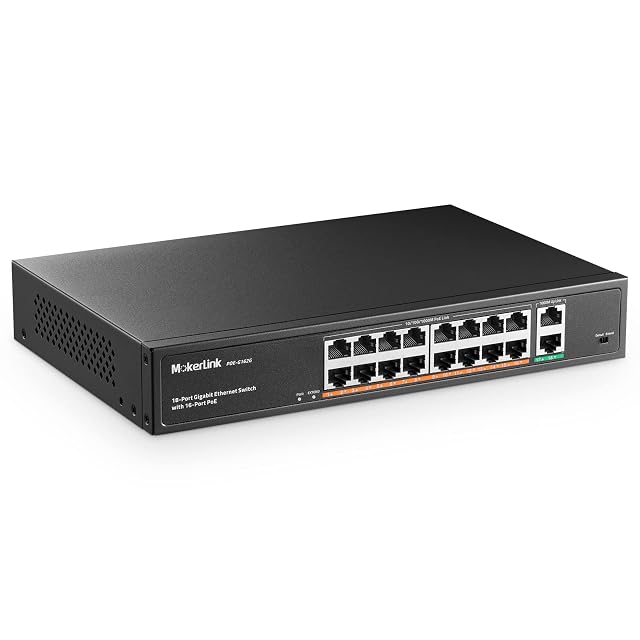
  4. MokerLink POE-G162G, eighteen-socket rack-mounted switch with sixteen powered sockets

    802.3af and 802.3at · up to 30 W per socket · 250 W total · sixteen powered of eighteen · uplinks numbered 17 and 18 · internal supply · fan-cooled

    A rack-mounted eighteen-socket switch with sixteen powered sockets, an internal power supply and fans, which numbers its uplinks and isolates the powered sockets from each other.

    Best for: A rack in a cupboard or a small server room carrying a camera installation, where fans are inaudible and an internal supply saves space.

    ≈ $120 / £85 / 110 €

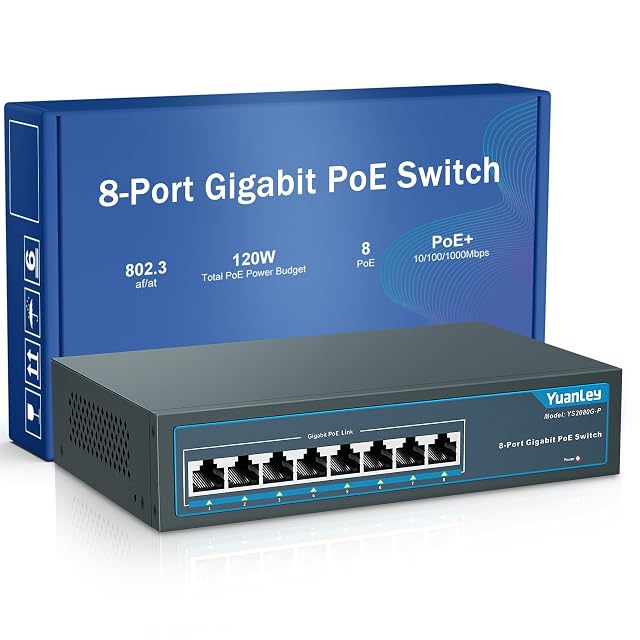
  5. MERCUSYS MS108GP, eight-socket gigabit switch with seven powered sockets

    802.3af and 802.3at · up to 30 W per socket · 65 W total · seven powered of eight · gigabit · fanless · metal case

    A gigabit switch that powers seven of its eight sockets and states both halves of the power question: 30 W at one socket and 65 W for all of them together.

    Best for: A small installation of three or four cameras or access points that draw modestly, where the switch has to be silent and sit in the open.

    ≈ 30 €

The questions that come up before an order

How do I work out the budget I need?

Add up what each powered device requires at its port, using the figure the device’s own data sheet publishes rather than the Type name, then leave headroom. The switch’s total budget has to cover that sum with room to spare, because a budget consumed exactly is a budget that fails when something draws its maximum.

What is the difference between the two wattages a standard publishes?

One is what leaves the switch port, the other is what the standard guarantees at the device. The gap is the run of cable, which dissipates the difference as heat. Both numbers are published precisely because they are not the same, and a long run is where the difference is felt.

Will a PoE switch damage a device that does not want power?

A standards-compliant source applies power only after a detection and classification exchange with the device at the far end, which is the entire point of that handshake. Equipment that supplies power without it — sometimes called passive — is a different proposition and its own documentation governs its use.

Do I need managed ports on a PoE switch?

Not for the power itself. Management earns its place when you want to see what each port is drawing, restart a device by cutting and restoring its power remotely, or keep networks separated. Those are useful in an installation with several access points and unnecessary in one with a single unit.

Every price named in a summary was read on the date that review carries. What a shop asks today is shown beside the product, and it moves.

The tool we use ourselves

Chosen your hardware? Now buy it at the right price.

Routers, drives and enclosures are discounted almost continuously, and a crossed-out price tells you nothing on its own about what the same reference was charged last month. UniverTrack keeps the record of what every retailer has been asking week by week, so a discount is weighed against a price that actually stood rather than one invented for the banner, and it tells you when the moment to buy is genuinely here.

Real price historyBuy-now alertsAI buying assistant
Try free for 14 days →
No commitment · Cancel in one click · 5 languages