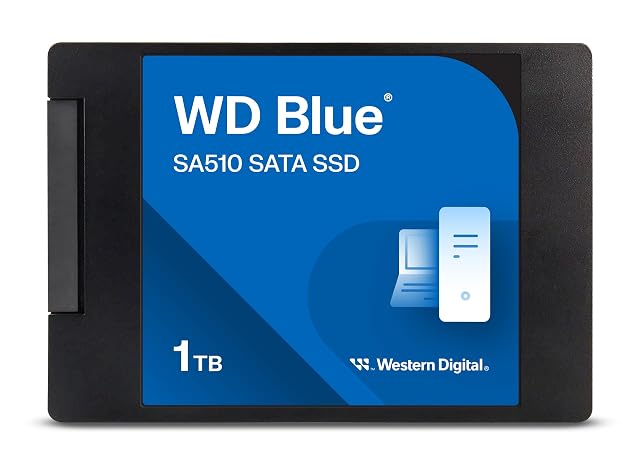
SSD upgrade
Putting solid-state into a machine you already own
The upgrade that makes an older machine feel new is also the one most often bought wrongly, because two drives can be identical in size and shape and speak completely different buses. Establish what the machine takes before comparing anything, and the rest of the decision is straightforward.
By Jean-Benoit Buisson
Find out what the machine takes, before anything else
Three questions, answered from the machine’s own documentation rather than from a photograph of the inside.
Is there an M.2 socket, a 2.5-inch bay, or both? Many desktops have both. Many laptops have one. Some laptops have an M.2 socket occupied by a small drive and a bay that was never populated.
What is the M.2 socket wired for? This is the question the shape does not answer. A socket can carry a PCIe link, a SATA link, or be capable of either, and the keying at the connector is a hint rather than a guarantee. The manual, the maker’s specification page or the support documentation says outright.
What length does it accept? The four digits of a designation such as 2280 are the width in millimeters followed by the length. A 2280 card in a machine that only has room for a 2242 is a card that does not mount, however well it fits the connector.
Where a machine takes both a card and a 2.5-inch drive, the ordinary arrangement is a fast card for the system and the working set, with the bay used for capacity.
For a card on a PCIe link, two numbers matter together: the generation and the lane count. A four-lane link of one generation and an eight-lane link of the one before carry comparable amounts, which is why quoting a generation alone is half a specification. A drive in a socket wired for fewer lanes than the drive expects will work and will do so at the lower figure.
Sequential rates published on a box describe large continuous transfers under the maker’s conditions. Most of what a machine actually does is small and scattered, which is why the difference between a mechanical drive and any solid-state drive is transformative while the difference between two solid-state drives is often barely noticeable in daily use.
Sustained writing is where they separate. A drive that writes quickly for a while and then settles to a lower rate is behaving normally; where the maker publishes what happens under continuous writing, that figure is the one that describes a large copy or a video export.
When SATA is the right answer
A SATA solid-state drive is the right purchase in several ordinary situations, and it is not a compromise in any of them.
The machine has a 2.5-inch bay and no M.2 socket. The M.2 socket is occupied and the bay is free. The machine is old enough that the interface is the ceiling regardless. Or the drive is going into an enclosure or a dock that speaks SATA.
In all of these, replacing a mechanical drive with a SATA solid-state one is the largest single change available to that machine, and the gap to an NVMe card it cannot accept is irrelevant.
Capacity, endurance and warranty are three separate questions
Buy capacity for the working set plus real headroom. A solid-state drive that is nearly full has less room to shuffle blocks internally, and makers explain the consequence in their own documentation. Treat the last part of the drive as unavailable and plan accordingly.
TBW is a written volume the maker specifies. It matters for write-heavy work — video, large builds, a drive used as a scratch disc — and it is rarely the deciding figure for a laptop that browses and writes documents.
Warranty is a commercial term with conditions, frequently stated as a period or an amount written, whichever comes first. Read which, because that pairing is where the two ideas get conflated.
Three quantities, three questions, and no combination of them is a life expectancy.
Before you fit it
Copy what you cannot lose off the machine first, to somewhere that is not the machine. An upgrade is a routine operation until the moment it is not.
Then follow the manufacturer’s instructions for the machine and for the drive — for opening the case, for handling the card, for the screw or latch that retains it, and for any thermal pad or heatsink the maker specifies. Where a laptop is under warranty, the maker’s documentation is also what says whether opening it affects that.