Names the capacity rule for cloning inside the cloning bullet
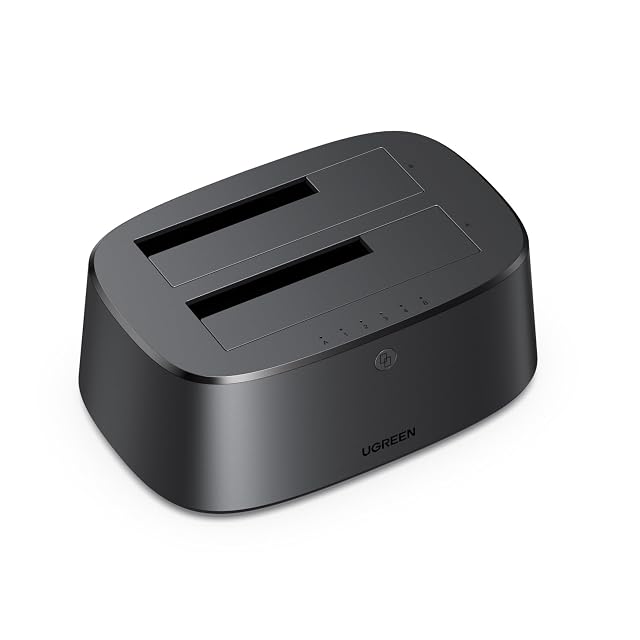
UGREEN dual-bay SATA dock, USB 3.0 at 5 Gbps, offline clone, UASP, S.M.A.R.T. and TRIM, 2 × 16 TB
A two-bay dock that puts the cloning rule in bold inside its own first bullet — the destination has to exceed the source — and publishes three protocols where most docks publish one.
Specifications
- Bay count
- Two — stated in the title and in the second bullet, which describes simultaneous operation of two 2.5-inch or 3.5-inch drives for synchronous data transfer
- Supported drive sizes
- 2.5-inch and 3.5-inch — stated in the first and second bullets
- Supported drive interfaces
- SATA hard discs and solid-state drives — stated in the first and second bullets. No SATA revision is named
- Solid-state slot support
- Not published on the listing — no M.2 position is named. Solid-state drives are supported in the two SATA bays and no separate slot exists
- Offline cloning
- Stated — the first bullet describes fast copying between two drives at a single button press with no computer connected, and adds in a marked note that the capacity of destination drive B must exceed that of source drive A
- Interface standard
- USB 3.0 — stated in the title and in the third bullet
- Stated link rate
- Up to 5 Gbps — stated in the title and in the third bullet, which calls it a theoretical transfer speed
- Connector type
- Not published on the listing — no socket and no cable is named in any bullet
- UASP support
- Stated — the third bullet names UASP, S.M.A.R.T. and TRIM together as the protocols supported. It is one of two docks on this shelf to name all three
- Power supply
- Not published on the listing — no adapter, no voltage and no current is named, on a dock stated to run two 3.5-inch drives at once
- Per-bay controls
- Not published on the listing — no power switch and no per-bay indicator is named in any bullet
- Amazon reference
- B0FPM32XNZ (same reference on 5 Amazon marketplaces)
- EAN
- 6941876284924
On the listing
A drive docking station with USB 3.0 at 5 Gbps, dual bay and offline cloning, allowing fast data copying between two 2.5-inch or 3.5-inch SATA HDDs or SSDs at a single button press without a computer, with a marked note that the capacity of destination drive B must exceed that of source drive A; simultaneous operation of two drives for synchronous transfer; support for UASP, S.M.A.R.T. and TRIM over a USB 3.0 interface with theoretical speeds of up to 5 Gbps; compatibility with Windows from XP, Linux and macOS with no driver installation; and support for two 16 TB drives, giving up to 32 TB.
The rule, printed where it is needed
The first bullet describes the clone and then, in a marked note, states the condition it depends on.
The capacity of the destination must exceed that of the source.
That is the sentence people find out about afterwards. A block-level copy needs room for the whole source drive, empty space included, so a 4 TB disc will not clone onto a 2 TB one however little is actually stored on it.
Three of the five cloning docks in this hub state the rule somewhere. This one states it inside the bullet that describes the button, which is where somebody about to press it will actually read it.
What the same bullet calls it
The bullet also calls the operation a backup, and that word is the maker’s rather than this site’s.
A clone is a duplicate made at one moment, on the same desk, from a source that is copied exactly as it is. It keeps no earlier version of a file overwritten this morning. It does not survive the flat being burgled, because both drives go. It reproduces corruption without noticing it.
Those are the situations a backup arrangement is built to survive, and a dock is not one. What it is good at — moving a system to a larger drive, making an identical spare, reading old discs — is genuinely useful and is a different job.
Three protocols
The third bullet names UASP, S.M.A.R.T. and TRIM.
That is a fuller set than most docks publish. UASP changes how commands are queued and is the difference between a fast drive behaving like one and behaving like a memory stick. S.M.A.R.T. passes the drive’s own health data through to the computer, which on a dock used to read old discs is the feature that tells you which of them is dying. TRIM keeps a solid-state drive’s write performance from degrading.
S.M.A.R.T. in particular earns its place here. A dock is where drives of unknown history get plugged in, and being able to read their reported hours and error counts is the reason to plug them in at all.
Thirty-two terabytes, and no adapter named
The fifth bullet gives two 16 TB drives.
And no bullet anywhere names the power supply. Two 3.5-inch mechanisms spinning up together are well beyond what a USB port provides, so an adapter must be in the box; its voltage and current are simply not published, as on four of the seven docks in this hub.
Two docks here do publish theirs. Where a dock is expected to run two large mechanisms simultaneously, that figure is the difference between reliable operation and drives that drop out under load.
Before ordering
Check which drive is larger before pressing anything, because the destination has to exceed the source and its contents are gone. Ask what adapter is supplied and how it is rated. And treat the clone as a duplicate rather than as a backup, whatever the bullet calls it.
Availability
Priced from 24 € to 38 € across the German, French and Italian Amazon stores the day this page was checked.
The Spanish Amazon price runs past 1.6× the cheapest store. A gap that size normally marks a reshipper and not a seller in the country, so that listing stays out of the range above.
In the British Amazon catalogue with no live offer against it: the reference exists, nobody is filling it.
The American Amazon store returned nothing at all, so the buy button there opens a search in that country rather than a page that would not load.
Every figure in this section is what Keepa held on the day this page was last updated. Stock and prices move without warning.
Prices quoted in this text were read on 10 September 2026. The live price is at the top of the page.