Give the unit height and clearance before you give it anything else
Two placement rules do more work than every other consideration on this page, and both are free.
Height: put the unit up, not down. A router on a shelf at chest height covers a floor better than the same router on the carpet behind a sofa, because the floor itself, the furniture and the people are all in the way at the lower position. A ceiling-mounted access point is at the top of that logic, which is why it is the shape the category settled on.
Clearance: give it air on every side. Radios are affected by what is immediately around them far more than by what is across the room. A unit pressed against a wall radiates into that wall; a unit inside a metal cabinet, behind a television, on top of a boiler or in a pile of other equipment is being asked to transmit through the least helpful material in the house from a distance of two centimetres.
If a unit has external antennas that move, the ordinary arrangement is to spread them rather than align them all vertically, so that devices held at different angles have something to receive. The maker’s own guidance governs, and some units publish a specific arrangement.
Move the radios towards the middle, even when the line enters at the edge
Coverage from a single unit falls away in every direction at once, so its ideal position is the centre of what it has to cover — not the centre of the floor plan, but the centre of where people actually use devices, weighted for the rooms that matter.
Lines rarely enter buildings in the middle. This is where the wired-first principle pays: one run from the termination point to a central position lets the radios sit where they should while the line stays where it must. In a house over several floors, a central position on the middle floor covers above and below far better than the same unit at one end of the ground floor.
The ceiling of the floor below is the position people never think of and often the best one available, because a signal crosses a timber floor much more easily than it crosses two brick walls in sequence.
The three bands do not travel the same way, and that is the whole placement problem
A modern unit runs radios on more than one band, and they behave differently enough that a single position is always a compromise between them.
2.4 GHz travels furthest and passes through building fabric best. It also has the least spectrum, the most neighbours and the most non-network devices sharing it, so it is the band that reaches everywhere and the band that is most congested when it gets there.
5 GHz carries more and reaches less, and it is stopped much harder by masonry and by anything metallic. Part of the band is subject to rules about detecting radar and moving off a channel, which is a published regulatory requirement rather than a fault, and which is why a device occasionally changes channel by itself.
6 GHz, where the regulator that governs your country permits it and the equipment is certified for it, has the most room and the shortest reach of the three. How much of the band exists is decided where you live, not by the maker.
The practical consequence: a position chosen so that 5 GHz just about reaches the far bedroom will be a position where 2.4 GHz reaches the neighbours. A second radio nearer the bedroom is the fix; a bigger number on the first one is not.
Place a second radio just outside the wall that is causing the trouble
When one room is bad, find the obstacle rather than the distance. Walk from the router towards the room and watch where the connection falls off a cliff — that cliff is a wall, a chimney breast, a foil-backed board or a metal-framed partition, and it is almost always one identifiable thing.
The second radio goes on the near side of that obstacle, with a clear path into the room beyond it. Putting it inside the bad room only helps if it can be fed by a cable; a relay placed in the room it is meant to rescue is relaying through the same wall that caused the problem.
Overlap access points deliberately, and do not butt them together
Where two or more access points cover one building, the mistake is to place them so their coverage areas just touch. Devices decide for themselves when to move from one to the other, and they generally hang on to the one they have until it becomes genuinely poor — so a device walking across a boundary with no overlap spends the crossing on a connection that has already fallen apart.
Plan for the areas to overlap, so that a device at the edge of one has a usable alternative before it needs one. Then give the two units different channels, and give them the same network name and password so that moving between them is a decision the device can make without a person doing anything.
Channel choice on 2.4 GHz has three answers, and on 5 GHz it has a trade
On 2.4 GHz at the standard 20 MHz channel width, only three channels do not overlap one another: 1, 6 and 11. Every other choice partially overlaps two of them, which is worse than sharing one cleanly. So: pick one of the three, and give neighbouring access points different ones.
On 5 GHz and above, the choice is mostly about width. A wider channel carries more per transmission and uses up more of the band, so there are fewer of them to go round and each one is more easily disturbed by a neighbour. In a dense block of flats a narrower channel that nobody is fighting over often produces a better result than a wide one that overlaps three other networks. This is a trade, not an upgrade, and the automatic setting on most equipment makes a reasonable job of it.
Whatever the width, the class figure on the box does not change with the channel you choose. That figure adds the theoretical peak rates of every radio in the unit together, calculated from the widest channel and the full stream count the standard defines; it describes the packaging, not the link.
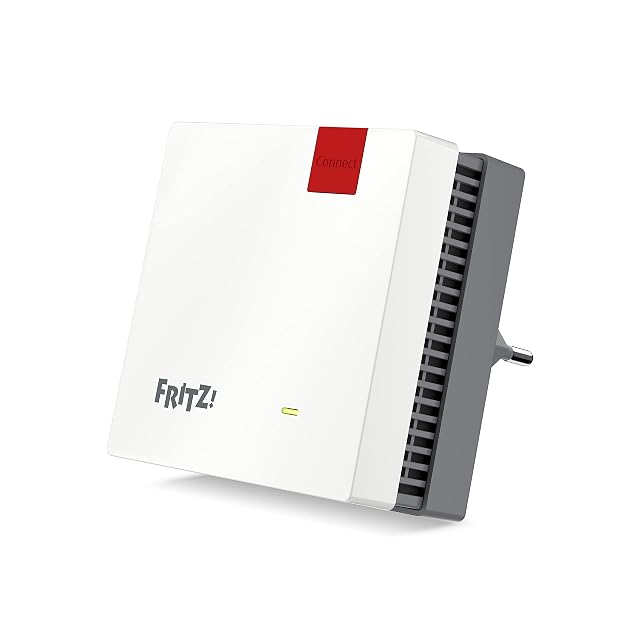
A repeater goes where the signal is still good, not where it is bad
A repeater receives and re-transmits, so everything it sends onward has already crossed the air once. Put it where the signal from the router is still solid and where its own transmission can reach the bad area — which is usually well before the bad area, not in it.
The cost is airtime, and it is unavoidable for anything relaying on one radio: the same band carries both halves of the conversation. Units that keep a separate radio for the link back to the router avoid that, at a price, and a node fed by an Ethernet cable avoids it entirely because there is no relaying left to do.
Check the result by walking the building, not by reading one bar
The final step is the one that turns all of the above from theory into a decision. Walk every room with a device that shows a signal figure, stand where people actually sit, and write down what you see — including the corridors and stairs, which is where devices decide to change access point.
Do it once before you move anything, so that you have a starting point, and once after. Two placements compared with the same walk is real evidence about your building; a specification sheet is evidence about somebody’s laboratory.
Anything involving the fixed electrical installation — a socket added to feed a ceiling unit, or mains work in a loft — is governed by the manufacturer’s instructions and by the wiring rules where you live, and belongs to somebody qualified to do it.
The questions that come up before an order
My line enters at the corner of the house. Do I have to live with that?
No, and it is the single most common placement problem. The line terminates where it terminates, but the equipment that runs the radios does not have to sit next to it: a cable from the termination point to a more central position moves the radios without moving the line. That is one run, and it is usually the highest-value run in the building.
Should I hide the equipment in a cupboard?
It costs coverage, and how much depends on what the cupboard is made of. A wooden door costs little; a metal cabinet or a stone recess can cost most of it. Where the unit has to be enclosed, the answer is to move the radios out of the enclosure — a cabled access point on the ceiling outside it — rather than to accept the loss.
How do I know whether I have a coverage problem or a throughput one?
Stand where it is bad and look at whether the connection is weak or simply slow. A weak connection that improves as you walk towards the radio is coverage. A connection that stays strong everywhere while everything is slow, including anything plugged in with a cable, is somewhere else in the chain entirely, and no amount of placement moves it.
Last reviewed 10 September 2026