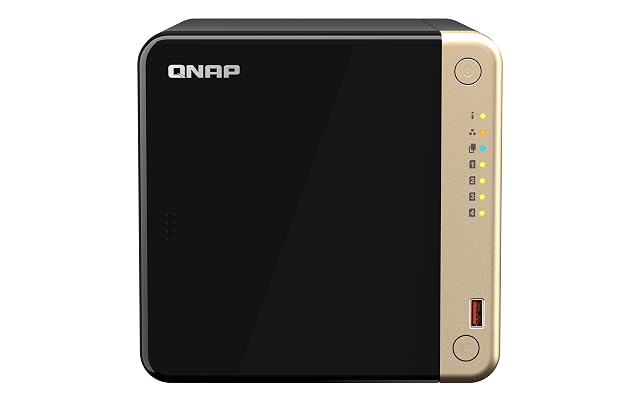
Start from the heap you could not recreate, because it is smaller than you think
A copy routine that tries to cover everything is a routine that runs slowly, fills its destination and gets switched off. Start by separating out what genuinely cannot be replaced: photographs and video of people, documents you wrote, records, anything made rather than downloaded.
That heap is almost always a small fraction of the total, and it is the one that deserves the most copies, the most places and the most checking. Media that could be ripped again, software that could be downloaded again and caches of anything all belong to a second, more relaxed tier — worth copying, not worth engineering around.
Write the split down before you configure anything. Every decision after this one gets easier once you know which files you are actually protecting.
Three copies, two kinds of place, one of them somewhere else
The convention repeated across the industry is three copies, on two different kinds of storage, with one of them away from the building. It is a convention rather than a measurement, and it survives because each part of it answers a distinct failure.
Three copies means the original and two others, so that losing one still leaves a spare while you rebuild.
Two kinds of place means not putting every copy on the same sort of hardware bought at the same time. Drives from the same batch, in the same box, on the same power supply, share more failure modes than they appear to.
One somewhere else is the part that covers the whole building: theft, fire, water, and anything that damages everything in one room. A drive in a desk drawer next to the enclosure fails that test; a drive kept at a relative’s house, or a copy held by a remote service, passes it.
What the redundancy in the enclosure covers, and the four things it does not
This is the point on which the whole page turns, and it is worth being exact.
A redundancy level keeps a volume readable when a drive fails, and lets you replace that drive without stopping. That is genuine, it is what the feature was designed for, and it is worth having.
Four common events are outside it entirely, because they reach every drive at once:
- A deletion. The file is removed, and the enclosure removes it from every drive it was mirrored across, immediately and correctly.
- An overwrite. An application saves over a folder, or a synchronisation runs in the wrong direction. The new content propagates exactly as designed.
- Hostile encryption. Software running with your permissions can reach whatever your account can reach, including a mounted share, and the enclosure stores the encrypted version faithfully.
- The building. Theft, fire and water do not distinguish between drives that are mirroring each other.
There is a fifth worth naming: a failure of the enclosure itself, or a corruption of the array’s own metadata, which can make a set of perfectly healthy drives unreadable outside that machine.
None of these are arguments against redundancy. They are the reason the copies exist as a separate thing.
Keep versions, not just copies, because most losses are your own doing
A copy that mirrors the current state of a folder faithfully will faithfully mirror a mistake. If a file was overwritten on Tuesday and the copy ran on Tuesday night, the copy now holds the overwritten version and the original is gone from both.
What covers that is versions: keeping previous states of a file for a period. Enclosure makers implement this as snapshots or as file versioning, and copy software implements it as retained older runs. Either way the settings to look at are how many versions are kept, how far back they reach, and how much space they are allowed to use — because the feature only exists while there is room for it.
Where an enclosure offers snapshots that cannot be altered or deleted for a set period, that setting is worth understanding, since it is aimed at exactly the case where something with your permissions is trying to destroy them.
Make one copy that nothing on the network can reach
Everything permanently mounted is reachable by anything that reaches the machine. That is the property to break, in at least one place.
The simplest form is a drive that is plugged in, copied to, and unplugged again. It is unfashionable and it works, and for a heap of irreplaceable files that gains material slowly, doing it monthly is a real defence. Two drives rotated between two places is better still, because one of them is always away from the building.
A remote service is the other form, and the thing to check is not the amount of space but what it does about versions and deletions: how long a deleted file remains recoverable, and whether an account compromised today can wipe what it holds. Read those two answers in the provider’s own documentation before choosing on price.
Automate the copy, then check that it ran
An unautomated routine survives about three weeks of ordinary life. Use whatever the enclosure or the operating system provides, set the schedule from the interval you decided above, and let it run.
Then add the step that people leave out: a way of finding out that it did not run. Most software will send a message on failure — turn it on and send it somewhere you actually read. A routine that silently stopped four months ago is worse than no routine, because you have been making decisions on the assumption it was working.
Put a recurring reminder in a calendar to look at the copies once a quarter. Two minutes, four times a year.
Handle keys and passwords before they lock you out
Encryption on a drive or a share is worth having, and it introduces a failure of its own: a copy nobody can open is a copy that does not exist.
Decide where the key or passphrase lives, make sure it exists in a place independent of the machine it protects, and make sure at least one other person can find it if they have to. A password manager, a sealed note in a safe, or a printed sheet with someone who can be trusted are all reasonable answers; the only unreasonable answer is a key that exists solely on the encrypted machine.
The same applies to the account credentials for a remote service, and to any recovery method attached to them.
Test a restore, and write the routine down as a procedure
The last two steps are the ones that turn an arrangement into a plan.
Restore something, deliberately, from each copy you keep. Not the whole set — one folder is enough. What you are checking is that the copy is readable, that you remember how to reach it, and that the files inside it are the files you expected rather than an empty structure faithfully copied from somewhere.
Write it down as a procedure another person could follow: what is copied, from where to where, how often, where the drives are kept, where the keys are, and what to do first if the enclosure is dead. Keep that page somewhere that is not on the enclosure.
The person following it in an emergency is often not the person who set it up, and even when it is, it is a version of that person who has just lost something and is not thinking clearly.
The questions that come up before an order
If my enclosure has mirrored drives, do I still need copies?
Yes, and the reason is the failure list rather than the hardware. Mirroring covers one thing very well: a drive that stops. A file deleted by mistake, a folder an application wrote over, hostile software encrypting what it can reach, a theft and a fire all arrive on every drive in the box in the same instant, because the box is faithfully doing what it was told.
How often should the copies run?
Often enough that the work you would lose between two runs is work you are willing to lose. That is the only honest way to set the interval, and it varies by heap: a photograph library that gains files weekly and a project folder that changes hourly are not on the same schedule.
What is the point of a copy that is disconnected?
Anything permanently connected can be reached by anything that reaches the machine — including software acting with your own permissions. A copy on a drive that spends most of its life unplugged, or in a place that will not let a file be overwritten, is the copy that is still there after an event that touched everything else.
Last reviewed 10 September 2026