Settle what the provider’s box is before you buy anything
Every home network starts with a box somebody else chose, and the first useful hour is spent finding out what it actually does. Three arrangements are common, and they lead to three different shopping lists.
Some providers supply a unit that terminates the line, routes, hands out addresses and runs the radios — everything in one. Some supply a modem or an optical network terminal that terminates the line and nothing else, so a router is a missing component rather than an upgrade. And some supply the all-in-one but allow it to be put into a mode where it only carries the line, which is the arrangement that lets a router of your own choosing take over without two devices routing at once.
The provider’s documentation names which of the three you have. Reading it first is what stops a router being bought to solve a problem it cannot reach, and it is also what avoids the double-routing arrangement that produces most of the odd symptoms people spend evenings chasing.
Draw the building before you draw the network
Take a floor plan, or sketch one. Mark where the line enters, where the awkward rooms are, and what stands between the two. This is the only document in the whole exercise that describes your building rather than somebody’s product, and it decides more than any specification sheet will.
What you are looking for is the walls. Plasterboard and timber cost a radio signal very little. Brick, stone and anything wet cost it a great deal. A metal-framed partition, a foil-backed insulation board and a floor with a steel mesh in the screed can stop a 5 GHz channel almost dead, and none of them look like obstacles from a corridor.
Mark the mains sockets too, and the places a cable could plausibly be routed. Both are constraints on where equipment can go, and both are cheaper to discover on paper.
Put the wired sockets in before you buy radios
The counter-intuitive step, and the one that makes everything after it easier. Anything that does not move — a television, a games console, a desktop, a printer, a storage box — is better off on a cable, and every device you take off the air gives the air back to the devices that need it.
The order of preference for getting a signal from one room to another runs like this, and it is worth knowing that it rarely reverses:
- A permanent run of Category cable, terminated at both ends, is the arrangement everything else is a substitute for. It carries a link at the published rate for the grade, and it does not care what else is happening in the building.
- A ready-made patch lead, run along a skirting board and hidden in trunking, is the same thing without the terminating. For a single room it is often the whole answer.
- A powerline pair carries data over the mains wiring, and what it achieves depends entirely on the circuits between the two sockets — a figure no maker can publish for your building. Where the two ends sit on different circuits or either end is on an extension lead, the result is unpredictable. Installation and use follow the manufacturer’s instructions and the wiring rules that apply where you live; nothing here is advice about the mains.
- A wireless relay puts a radio in the middle of the path, and pays for the convenience in airtime.
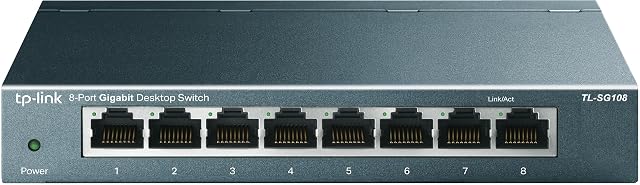
Where a run is possible, a switch at the far end turns one cable into several sockets, which is usually the cheapest port count in the whole project.
Add radios where the wired plan cannot reach, not where the plan failed
Now, and only now, the wireless question becomes answerable — because it is no longer how do I cover the whole building from here, but which rooms are still uncovered once the cabled part is done.
If the answer is none, a single router where the line enters is the finished network. If the answer is one stubborn room, one more radio placed just outside its worst wall settles it, and a wired access point does that job on a ceiling for less noise than a mesh pack. If the answer is a whole floor or a separate building, a mesh pack exists for exactly that, and it does the job best when at least one node reaches an Ethernet outlet.
The class figure printed on the box — the four digits after AX or BE — is not the number to choose between them on. It is the arithmetic sum of the theoretical peak rates of every radio in the unit, calculated from the channel width and stream count the standard defines, and no single link ever sees the total. Read the band plan, the stream count and the port speeds instead, all three of which describe something countable.
Give the files a home before the collection makes the decision
Storage is the part of a first network with no deadline, right up until it has a very short one. While everything fits on the machines you own, there is nothing to do. When it stops fitting — a household of phones, a camera, a laptop with a small drive — the layout improvised in a panic is the one that stays for years, because moving files a second time is the job nobody volunteers for.
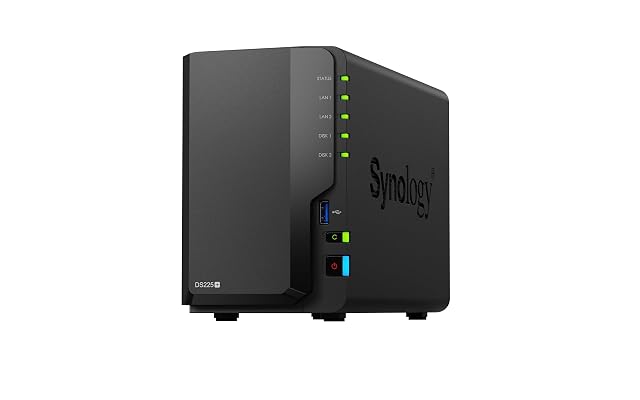
The plain first step is one external drive with a clear job. The next is a two-bay enclosure that presents itself to every machine in the building, so that files stop living on whichever laptop happened to import them.
What a multi-bay box does not do is worth stating in the same breath, because the industry states it badly. A redundancy level keeps an array readable through the failure of one drive. It does nothing at all about a file deleted by mistake, an application that overwrites a folder, a device encrypted by hostile software, a theft or a fire, because every one of those reaches all the drives at once. Copies in another place are what covers those, and the enclosure is not a copy.
Spend in the same order you built in
The money that changes something goes, roughly, to the parts nearest the bottom of the stack. A cable run and a switch move a household more than a router two tiers up the range. A router that can take over routing from the provider’s box is worth more than a mesh pack bought to work around one. And a second copy of files nobody could recreate is worth more than any of it.
The upgrade that can nearly always wait is the wireless generation. A newer amendment on the router does nothing for a device that does not speak it, and the devices in most homes turn over slowly.
Write down what you built, while you still remember
Ten minutes at the end saves an evening later. Note which socket in which room goes to which port, what the network name is, where the equipment sits and what its addresses are, and which drive holds what. Tape a copy inside the cupboard door.
The reason is not tidiness. It is that the next change to this network happens in eighteen months, probably in a hurry, possibly by somebody else, and everything above will have been forgotten by then.
The questions that come up before an order
Can I keep the box my internet provider supplied?
Often, and it is worth finding out before ordering a replacement. Some providers hand over a unit that routes, hands out addresses and runs radios, and the only thing wrong with it is where it has to live. Others supply a modem or an optical terminal that does no routing at all, in which case a router is not an upgrade but a missing part. The provider’s own documentation names which of the two it is.
Do I have to run cable to have a decent network?
No, but every wired socket you add takes work away from the radios, which is why the wired plan is worth settling first even when it turns out to be one short run. A single cable to the far end of a home changes what a second radio has to do; no wireless purchase changes it back.
Where does storage come into a first build?
Later than people expect, and earlier than they want. There is no urgency while everything fits on the machines you own; the moment a phone, a camera or a household of laptops stops fitting, the layout you improvise under pressure is the one you live with for years.
Last reviewed 10 September 2026