A USB-C to Ethernet adapter given as up to 2500 Mbit/s, named for 4K and 8K streaming, gaming, video calls and fast transfers on a local network; a built-in USB-C power socket supporting charging to 140 W under USB-PD 3.1 for compatible machines, with a 16-inch MacBook Pro named, and charging running alongside the 2.5-gigabit connection; steady performance at low consumption with plug-and-play working, and a recommendation to install the current Realtek USB 2.5G Ethernet controller driver, particularly on older systems and certain Linux kernel versions; an aluminum case for durability and heat dissipation with a flexible braided pigtail lead; and compatibility with USB-C, USB4 and Thunderbolt machines including MacBook, iMac, Dell XPS, iPad Pro and Surface, on Windows, macOS, Linux and ChromeOS, with routers, switches and network storage named.
The socket that keeps the laptop charged
Up to 140 W, under USB-PD 3.1, at the same time as the network. On a laptop with one Type-C socket, an ordinary adapter is a choice between being wired and being charged. This one removes the choice, and it names the standard the power side follows rather than printing a wattage on its own.
A controller maker without a model
The third bullet says which driver to fetch and where the difficulty usually is: older systems, and particular Linux kernel versions. It names the maker of the chip. It does not name the chip. That is more than four of the six pages on this shelf manage and less than the two that print a part number.
The braided lead, unmeasured
Braided, flexible, hard-wearing. All three are stated. How long it is, is not, and on a pigtail adapter the length decides whether the body hangs off the side of a laptop or lies flat on the desk beside it.
Before ordering
Check what the charger of the machine draws. The socket passes up to 140 W, and a laptop asking for more than that is a laptop still tethered to its own supply.
Where it holds up, and where it stops
Strengths
Carries charging as well as the network, up to 140 W under USB-PD 3.1, which is the answer to a laptop that has one Type-C socket and needs both
Names the maker of the controller and the situations where the driver matters most, older systems and certain Linux kernels
A braided lead and an aluminum body, both stated rather than shown, which are the two parts of an adapter that wear out first
Compromises
The chip is identified by its maker and not by its model, so the exact driver still has to be found
No length for the lead, which on a pigtail adapter decides how it sits behind a laptop
Neither a USB generation nor a host rate for the data side, on a page that gives a precise standard for the power side
Specifications
USB generation
Not published on the listing — the page names USB-C and Thunderbolt 3, 4 and 5 hosts, and USB-PD 3.1 for the charging socket, and never gives a USB data generation for the adapter itself
Stated link rate
Not published on the listing for the host link — no figure in gigabits per second is attached to the USB side. The only rate on the page, up to 2500 Mbit/s, belongs to the Ethernet socket
Connector type
USB-C, on a braided pigtail lead, with a second USB-C socket on the body for power. The second bullet states that the built-in USB-C power socket supports charging to 140 W under USB-PD 3.1 for compatible machines, naming a 16-inch MacBook Pro as an example, and that charging and the 2.5-gigabit connection run at the same time
Ethernet port speed standard
Up to 2500 Mbit/s — stated in the first bullet, described as a good deal more than a conventional one-gigabit adapter and named for 4K and 8K streaming, gaming, video calls and file transfers on a local network. No BASE-T designation is printed
Controller family
Not published on the listing as a part number — the third bullet recommends the current Realtek USB 2.5G Ethernet controller driver, particularly on older systems and certain Linux kernel versions, which names the maker of the chip without naming the chip
Stated operating system support
Windows, macOS, Linux and ChromeOS — stated in the fifth bullet without versions, alongside a list of machines: MacBook, iMac, Dell XPS, iPad Pro and Surface among others, and with routers, switches and network storage named as what it plugs into
Housing material
Aluminum — stated in the fourth bullet as an aluminum case for durability and heat dissipation
Cable arrangement
A braided pigtail lead — stated in the fourth bullet as flexible and hard-wearing and named for traveling, office and daily use on a laptop. No length is printed anywhere on the page
Amazon reference
B0FC61NLVD
EAN
0810115189343
On Amazon.com
Amazon.com had an offer at $35 on October 26, 2026.
The questions that come up before an order
What does a 140 W power socket on a network adapter do?
It passes the charger of the machine through the adapter, so one socket on the laptop carries both the network and the power. The figure is the ceiling of what the socket will pass under USB-PD 3.1, and the machine and the charger decide what is actually drawn. Without it, an adapter of this kind occupies the only socket a thin laptop has.
Is naming the maker of a chip as good as naming the chip?
It is halfway there. Knowing the driver comes from one maker narrows the search to a family, and this page even names the cases where fetching it matters. What it does not do is tell you which member of that family is inside, which is what would let the support be confirmed before the order.
Our score
7.8/ 10
The only adapter here that gives a socket back rather than taking one, and the one whose body and lead are described as parts. The chip is named by its maker alone, which is closer than most of this shelf gets.
Against the rest of the network and storage gear
This network and storage gear share the category and the price bracket. Only what each one states is shown; an incomplete column would mislead.
Model
Price
USB generation
Stated link rate
Connector type
Ethernet port speed standard
Cable Matters 201453-N, 2.5-gigabit Type-C adapter with a 140 W charging socket
$35
Not published on the listing — the page names USB-C and Thunderbolt 3, 4 and 5 hosts, and USB-PD 3.1 for the charging socket, and never gives a USB data generation for the adapter itself
Not published on the listing for the host link — no figure in gigabits per second is attached to the USB side. The only rate on the page, up to 2500 Mbit/s, belongs to the Ethernet socket
USB-C, on a braided pigtail lead, with a second USB-C socket on the body for power. The second bullet states that the built-in USB-C power socket supports charging to 140 W under USB-PD 3.1 for compatible machines, naming a 16-inch MacBook Pro as an example, and that charging and the 2.5-gigabit connection run at the same time
Up to 2500 Mbit/s — stated in the first bullet, described as a good deal more than a conventional one-gigabit adapter and named for 4K and 8K streaming, gaming, video calls and file transfers on a local network. No BASE-T designation is printed
Not published on the listing — no generation and no USB number appears in the title or in any of the five bullets. The connector is named as USB-C throughout and the link behind it is never described
Not published on the listing for the host link — the only rate on the page, up to 2500 Mbps, belongs to the Ethernet socket
USB Type-C — stated in the title and in all five bullets, named for machines and phones with a Type-C socket and no Ethernet of their own
Up to 2.5 Gbit/s — stated in the title and first bullet; the third bullet presents it as an upgrade from a 1 Gbit/s network when paired with 2.5-gigabit switches and routers. No BASE-T designation is printed
USB 3.0 — on ASUS's specification page and in the fourth bullet, which names compatibility with a USB 3.0 port
Not published — no figure in gigabits per second is attached to the USB side; the rates on the page, 2.5G, 1G and 100 Mbit/s, belong to the Ethernet socket
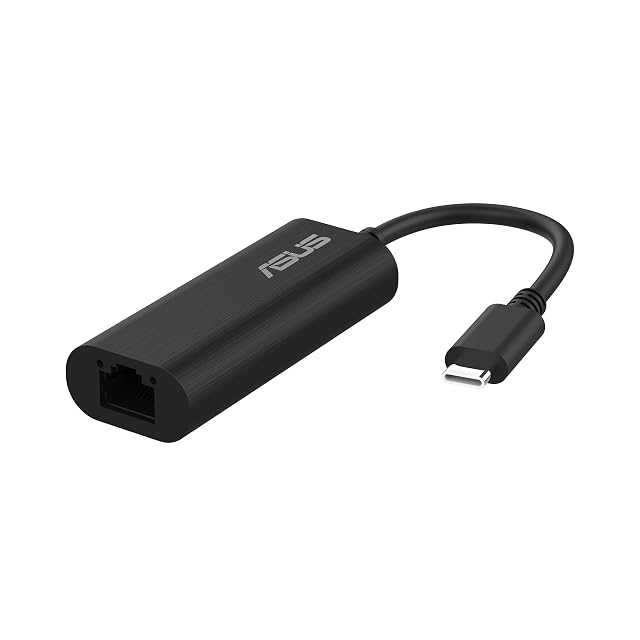
Disputed — ASUS's specification page gives a USB 3.0 Type-C input; the Amazon.com title calls it a USB Type-A adapter. The photographs on the listing are the thing to check
2.5GBASE-T, with backward compatibility to 2.5G, 1G and 100 Mbit/s — stated in the Amazon.com title; ASUS gives 100, 1000 and 2500 Mbit/s
USB 3.0 — stated in the title and in the second bullet, with the third adding backwards compatibility with USB 2.0 and 1.1
5 Gbit/s — stated in the third bullet as the USB 3.0 bus over which the gigabit Ethernet is carried. It is one of only two pages on this shelf that put a figure on the host link rather than on the socket
USB Type-C — stated in the title, which names a USB-C to Ethernet adapter and then describes the link behind it as USB 3.0
10/100/1000 Mbit/s gigabit Ethernet — stated in the third bullet, with the fourth naming IEEE 802.3, IEEE 802.3u and IEEE 802.3ab and adding support for IEEE 802.3az energy-efficient Ethernet. The second bullet attaches a condition: Category 6 cable or better if the gigabit is to be had
What separates the models, in network and storage gear
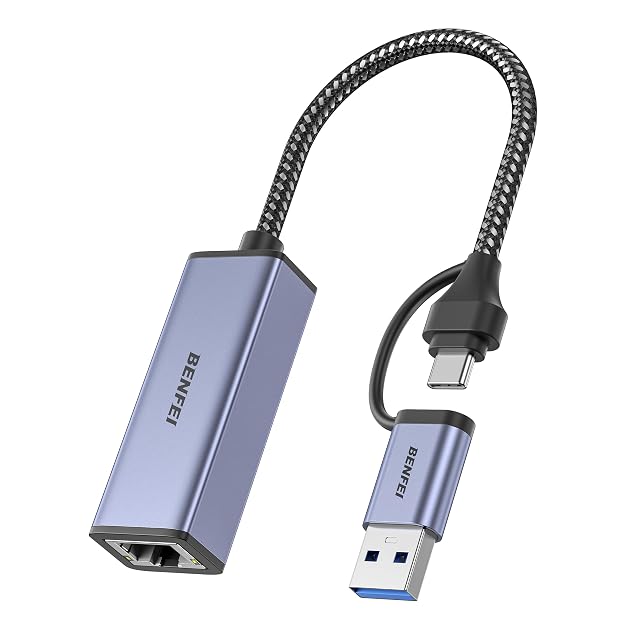
If price decides: BENFEI USB-C to gigabit Ethernet adapter, driverless on three systems, at $8.
The buyer this one serves, among network and storage gear
A modern laptop with a single Type-C socket that has to be charged and wired at the same time, on a desk where the adapter stays plugged in.
What this one costs among network and storage gear
A reference exists on these Amazon stores: France, Germany, Italy, Spain, United Kingdom, United States. Listed is not the same as in stock — availability changes daily.
Amazon reports what buyers took in the month before this page was last checked: at least 100.
The figure is a floor, rounded by Amazon, and read through Keepa — it says what buyers picked, not what a maker claims.
Sources
Specifications: the manufacturer sheet for network and storage gear and the matching Amazon product page. Prices and availability: Keepa. Every figure on this page names its source.
2.5GBASE-T with 1G and 100 Mbit/s fallback · USB 3.0 Type-C on ASUS's spec page, Type-A in the Amazon.com title · Windows driver built in · aluminum case, braided cable · 30 g
A 2.5-gigabit adapter whose Amazon.com title says USB Type-A while ASUS's own specification says USB 3.0 Type-C — the one line to settle before ordering.
Best for: A laptop or NAS with a USB 3.0 port of the right shape, on a 2.5-gigabit switch, where a driver that installs itself on Windows saves a download.
USB 3.0 · 5 Gbit/s bus stated · USB-C plug · 10/100/1000 Mbit/s · 802.3, 802.3u, 802.3ab and 802.3az named · Category 6 asked for · 18-month warranty
A gigabit adapter that names four Ethernet standards and then asks for Category 6 cable if the gigabit is to be had, which is the chain stated by the maker rather than by us.
Best for: A laptop with a Type-C socket and no Ethernet, on a network already wired with Category 6 or better, where the gigabit is the whole requirement.
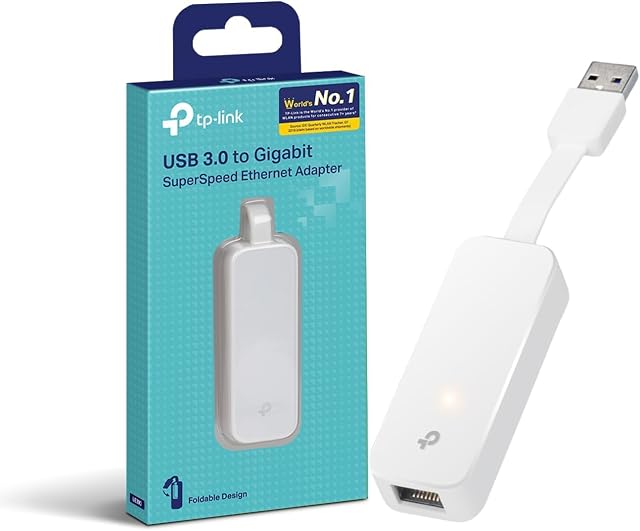
USB 3.0 · 10/100/1000 Mbit/s · Realtek RTL8153 · foldable cord · plug and play on Windows 8 to 11, macOS 10.9+, Chrome OS and Linux
A gigabit adapter built around a cord that folds into its body, sold on Amazon.com under a garbled listing — so its specification is read here from TP-Link's own US page.
Best for: A laptop bag, where an adapter with nothing sticking out of it survives better than one on a lead, and where a gigabit socket is all that is asked for.