The USB link behind the socket sets the ceiling of the Ethernet port · review
BENFEI USB-C to gigabit Ethernet adapter, driverless on three systems review
A gigabit adapter that names four Ethernet standards and then asks for Category 6 cable if the gigabit is to be had, which is the chain stated by the maker rather than by us.
The bottom line A conventional gigabit adapter on a page that behaves unusually well: standards named, exclusions named, and the cable grade its own figure depends on named too. The unnamed chip is the one blank that matters on this shelf.
On the listing
A compact USB-to-Ethernet adapter joining a computer or tablet to a router, modem or switch, adding a standard RJ45 socket to an ultrabook, notebook or laptop; an integrated advanced chip joining RJ45 Ethernet and USB 3.0, driverless on Chrome OS, macOS and Windows, with Wake-on-LAN, full-duplex and half-duplex working, crossover detection, back-pressure routing and automatic MDI-X, and a note that Category 6 cable or better is needed for the gigabit; full 10/100/1000 Mbit/s gigabit Ethernet over the 5 Gbit/s bus of USB 3.0, with link and activity lights, powered from USB with no external supply and backwards compatible with USB 2.0 and 1.1; compatibility given as Windows 7, 8 and 10, Vista and XP, macOS 10.6 to 10.12, Linux kernel 3.x and 2.6, Android and Chrome OS, with IEEE 802.3, 802.3u and 802.3ab named and 802.3az supported, Windows RT excluded and the Nintendo Switch excluded; and an eighteen-month warranty.
Category 6 as a condition of the gigabit
To have 1 Gbit/s, use Category 6 cable or better. The sentence is in the second bullet, in brackets, after a warning symbol. It is the maker saying out loud what this hub says about every rate on it: the figure belongs to the standard, and the slowest link in the chain decides what actually happens. Here the maker names the link.
Two lists of Windows
The title says 11, 10, 8 and 7. The fourth bullet says 7, 8 and 10, then Vista and XP. Windows 11 is in one and not the other. Both are printed here, and the older half of the bullet list is the more interesting one, because an adapter that still names XP is an adapter aimed at machines nobody writes drivers for any more.
The chip that is not named
Every other question on this page is answered with a number or a standard. The chip is answered with an adjective. On a shelf where the whole purchase turns on whether the laptop already carries the driver, that is the one line that would have been worth naming.
Before ordering
Look at what is in the wall. The adapter states the cable grade it wants, and a run of older cable will negotiate lower without saying so.
Availability
Priced from 9 € to 12 € across the German, French, Italian and Spanish Amazon stores the day this page was checked.
It is stocked on the American and British Amazon stores as well, in that country’s own currency. The range above leaves those out: it counts euro stores and no others.
Every figure in this section is what Keepa held on the day this page was last updated. Stock and prices move without warning.
Prices quoted in this text were read on 10 September 2026. The live price is at the top of the page.
Where it holds up, and where it stops
Strengths
Names four IEEE standards including 802.3az, so the socket can be checked against a switch port rather than against a figure
States the condition on its own headline rate: Category 6 cable or better for the gigabit, which is the maker publishing the weakest link in the chain
Says which platforms are excluded, Windows RT and the Nintendo Switch, instead of listing only what works
Compromises
The chip is described as advanced and never named, and on this family the chip is what decides whether a laptop needs a driver at all
The two lists of Windows versions do not agree, and Windows 11 appears in the title and not in the bullet
Nothing about the body or the lead, so how the adapter behaves on a desk cannot be read before it arrives
Specifications
USB generation
USB 3.0 — stated in the title and in the second bullet, with the third adding backwards compatibility with USB 2.0 and 1.1
Stated link rate
5 Gbit/s — stated in the third bullet as the USB 3.0 bus over which the gigabit Ethernet is carried. It is one of only two pages on this shelf that put a figure on the host link rather than on the socket
Connector type
USB Type-C — stated in the title, which names a USB-C to Ethernet adapter and then describes the link behind it as USB 3.0
Ethernet port speed standard
10/100/1000 Mbit/s gigabit Ethernet — stated in the third bullet, with the fourth naming IEEE 802.3, IEEE 802.3u and IEEE 802.3ab and adding support for IEEE 802.3az energy-efficient Ethernet. The second bullet attaches a condition: Category 6 cable or better if the gigabit is to be had
Controller family
Not published on the listing — the second bullet credits an integrated advanced chip and never names it, on a page that names four IEEE standards in the bullet below
Stated operating system support
Published twice and not identically. The title names Windows 11/10/8/7 and Mac OS; the fourth bullet names Windows 7, 8 and 10, Vista and XP, macOS 10.6 through 10.12, Linux kernel 3.x and 2.6, Android and Chrome OS, without Windows 11, and adds that Windows RT is not supported and that the adapter is not compatible with the Nintendo Switch
Housing material
Not published on the listing — the first bullet calls the body compact and portable and never says what it is made of
Cable arrangement
Not published on the listing as a length — the adapter is described as portable and compact, and no bullet says whether the plug sits on a lead or on the body, nor how long any lead is
Amazon reference
B08KWC7D78 (same reference on 6 Amazon marketplaces)
EAN
6971785942059
The questions that come up before an order
Why does a gigabit adapter ask for Category 6 cable?
Because the socket is only one link in the chain, and the cable is another. The maker states the grade it wants for its own figure to hold, which is more honest than printing the figure alone. On a run of older cable the negotiation simply settles lower, and nothing on the adapter says that it has.
What is IEEE 802.3az, and does it change anything day to day?
It is energy-efficient Ethernet: the link drops into a low-power state when there is nothing to send and comes back when there is. It saves a small amount of power on a machine that is on all day. Its real value here is as evidence that the page was written from a specification rather than from a marketing sheet.
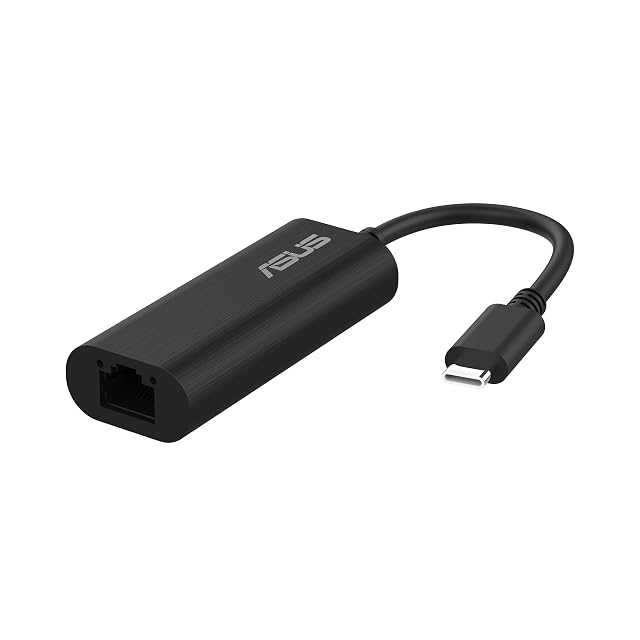
2.5G Ethernet named · USB-C · no driver stated · no host rate · no chip · no housing material · no operating system listed
A 2.5-gigabit Type-C adapter from a large name whose page publishes four short bullets and answers two of the eight questions this hub asks.
Best for: A buyer who is choosing on the name on the box and on a recent machine, where a Type-C socket and a 2.5-gigabit switch are already known quantities.
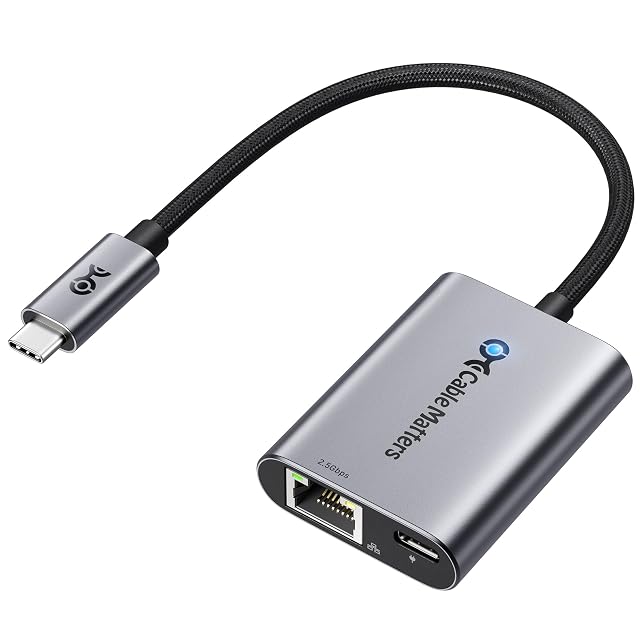
up to 2500 Mbit/s · USB-C · a second USB-C socket for charging to 140 W under USB-PD 3.1 · aluminium body · braided pigtail lead · controller maker named without a model
A 2.5-gigabit adapter that gives the single Type-C socket of a laptop back by carrying up to 140 W of charging alongside the network.
Best for: A modern laptop with a single Type-C socket that has to be charged and wired at the same time, on a desk where the adapter stays plugged in.
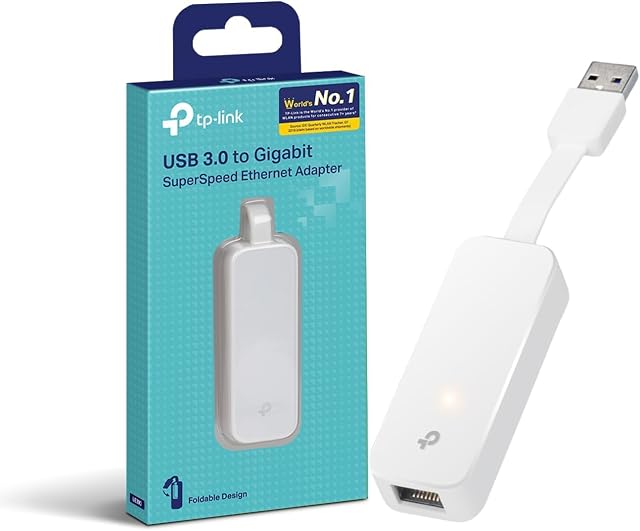
USB 3.0 · 1000 Mbit/s · plug folds into the body · no host rate published · no chip named · plug and play on four systems
A gigabit adapter built around one idea, a metal plug that folds away into the housing, on a page that never puts a rate on the USB side of the link.
Best for: A laptop bag, where an adapter with nothing sticking out of it survives better than one on a lead, and where a gigabit socket is all that is asked for.