Skip to content

X-MEDIA XM-PS110U, 320 printer models and a compatibility document to check them in review

One of two listings here to point at an actual compatibility document — a PDF named on the page, behind a claim of more than 320 printer models — and it names not one protocol or operating system.

The intro to this section says that in this family compatibility is settled by a list rather than by a standard, and that the maker’s list is the specification. Most of this shelf publishes no list at all: the DYMO bounds itself to a single series of a single maker, the SatcOp claims a percentage of brands, the PM1115U2 lists exclusions, and the rest say nothing.

The fifth bullet here is different: “For more Printer Compatibility information, see the PDF File of Compatibility Guide under Product Guide & Documents”. A named document, in a named place, and the first bullet gives the number it contains — more than 320 printer models. That is not the list itself reproduced on the page, and a buyer still has to open it, but it is the difference between a claim and a thing that can be checked.

The rest of the page is thin in a way the compatibility line partly earns. The second bullet says the unit supports multi-protocol and multi-OS and names neither: not IPP, not LPR, not raw port 9100, not Bonjour, not AirPrint, and no version of Windows, macOS or Linux. The StarTech parallel unit on this shelf names twelve protocols; the published StarTech names two. This page names none, and the protocols are what decide whether a machine will find the printer at all without installing something.

The third bullet gives a high-speed microprocessor and USB 2.0 compliance, with faster job processing as the claim — a comparison with no baseline. The fourth says setup and management are simple, which is the kind of sentence that fills a slot.

The description is the clearest statement of purpose on this shelf: connect the unit to the printer over USB, connect it to the network, and the printer is reachable from any computer on the local network — “take the computer out of the loop”, which is the whole argument for the family in five words.

What is absent: no wireless of any kind, so this is a unit for a spot a cable already reaches; no scanner support named in either direction, which the intro warns is where multifunction machines fail; no count of printers beyond the single USB socket; and no protocol list.

At 54 g (1.9 oz) it hides behind the printer. At $51.99 on October 26, 2026, it was the second-lowest price on this shelf after the StarTech PM1115U2, and $23 below the parallel XM-PS110P.

Prices quoted in this text were read on October 26, 2026. The live price is at the top of the page.
Where it holds up, and where it stops

Strengths

  • Names an actual compatibility document — a PDF under Product Guide & Documents — as only its parallel sibling also does
  • Publishes a printer count, more than 320 models, so the claim has a size as well as a direction
  • $51.99 on Amazon.com on October 26, 2026, the second-lowest price on this shelf and $23 below the parallel version of the same unit
  • The description states the purpose of the whole family in one line: take the computer out of the loop
  • Fifty-four grams, so it hides behind the printer rather than standing beside it

Compromises

  • Claims multi-protocol support and names not one protocol, so nothing says what will find the printer
  • Claims multi-OS support and names no operating system and no version
  • No wireless, so it only helps where a cable already reaches
  • No scanner support named in either direction
  • The faster processing claim in the third bullet has no baseline behind it

Specifications

Printer connection typeUSB 2.0 — stated in the title and in the third bullet as a USB 2.0 compliant printing port, with one socket
Network port typeRJ45 copper — stated in the title as a Fast Ethernet print server, and the description describes connecting the unit to the local network
Network port speed10/100 Mbit/s — stated in the title. No BASE-TX designation and no auto-sensing claim appears in the bullets
Wireless supportNot published on the listing — no wireless, no band and no standard appears anywhere. The route to the network is the Ethernet socket
Protocols publishedNot published on the listing — the second bullet claims multi-protocol support and names not one protocol. No IPP, no LPR, no raw port 9100, no Bonjour and no AirPrint appears anywhere, which leaves what will find the printer unstated
Number of printers servedOne — the title gives a one-port print server with a single USB socket
Scanner supportNot published on the listing — scanning is not named in either direction, which on a multifunction machine is where this family usually fails
Stated operating system supportNot published on the listing — the second bullet claims multi-OS support and names no system and no version at all
Published printer compatibility listPointed to rather than printed — the first bullet claims more than 320 printer models and the fifth names the document: a PDF compatibility guide under Product Guide & Documents. With the XM-PS110P, it is one of two listings on this shelf to name an actual compatibility document, which in this family is the specification
Amazon referenceB07RJZKYC3
EAN0850390003712
On Amazon.comAmazon.com had an offer at $52 on October 26, 2026.

The questions that come up before an order

Where is the compatibility list?

The fifth bullet names a PDF compatibility guide under Product Guide & Documents on the listing. The first bullet gives its size as more than 320 printer models. It points at a document rather than making a claim, as only its parallel sibling also does.

Which protocols does it support?

The page does not say. The second bullet claims multi-protocol support and names none, so whether a machine finds the printer without installing software is unstated.

How does it compare with the parallel version?

The parallel XM-PS110P on this shelf costs $23.00 more, claims 230 printer models rather than 320, and adds a power-on self test and an email alert. This one takes a USB printer and that one takes a Centronics parallel printer.

Against the rest of the network and storage gear

This network and storage gear share the category and the price bracket. Only what each one states is shown; an incomplete column would mislead.

Model Price Printer connection typeNetwork port typeNetwork port speedWireless support
X-MEDIA XM-PS110U, 320 printer models and a compatibility document to check them in $52 USB 2.0 — stated in the title and in the third bullet as a USB 2.0 compliant printing port, with one socketRJ45 copper — stated in the title as a Fast Ethernet print server, and the description describes connecting the unit to the local network10/100 Mbit/s — stated in the title. No BASE-TX designation and no auto-sensing claim appears in the bulletsNot published on the listing — no wireless, no band and no standard appears anywhere. The route to the network is the Ethernet socket
StarTech PM1115U2, one-port USB 2.0 print server with auto-sensing Ethernet $44 USB 2.0 — stated in the title as a one-port USB 2.0 print server and in the fourth bullet as USB 2.0 compliantCopper Ethernet (RJ45) — stated in the first bullet as 10Base-T and 100Base-TX auto-sensing; the PM1115UW is the only other listing here to print the designations10/100 Mbit/s, sensed automatically — stated in the title and in the first bullet, where the two designations behind the figures are given as 10BASE-T and 100BASE-TXNot published on the listing — no wireless is named anywhere, and the fifth bullet requires the supplied network lead to be run from the unit to a network device such as a router
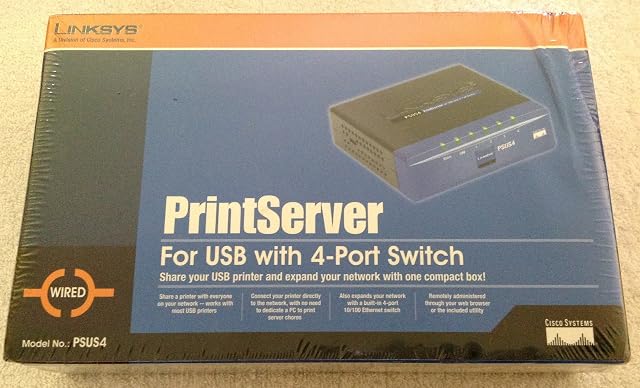
Linksys PSUS4, a print server with a four-port switch inside it $64 USB — stated in the title and in the second bullet, which describes connecting the printer directly to the network. No USB generation is publishedRJ45 copper, as part of a built-in four-port switch — stated in the third bullet. The description adds automatic MDI/MDI-X crossover detection on all four ports, so the cable type does not matter. It is the only listing on this shelf with a switch inside it10/100 on the switch ports, auto-negotiating — stated in the third bullet and in the description, which adds that each port independently settles on half or full duplex. The claim of up to 200 Mbit/s per port is a full-duplex link counted in both directions at once, not a transfer rateNot published on the listing — no wireless, no band and no standard appears anywhere. The route to the network is the switch
X-MEDIA XM-PS110P, a Centronics parallel port with a self test and an email alert $75 Parallel, on a Centronics port — stated in the title. Two listings on this shelf take a parallel printer and the other eight are USBRJ45 copper — stated in the title as a Fast Ethernet print server, with the description describing the connection to the local network10/100 Mbit/s — stated in the title. No BASE-TX designation and no auto-sensing claim appears in the bulletsNot published on the listing — no wireless, no band and no standard appears anywhere

What separates the models, in network and storage gear

  • If price decides: StarTech PM1115U2, one-port USB 2.0 print server with auto-sensing Ethernet, at $44.

The buyer this one serves, among network and storage gear

A USB printer beside a network socket, bought after opening the compatibility guide and finding the exact model in it.

What this one costs among network and storage gear

Details checked on October 26, 2026.

Sources

Specifications: the manufacturer sheet for network and storage gear and the matching Amazon product page. Prices and availability: Keepa. Every figure on this page names its source.

What we look at on this network and storage gear