Everything here hangs on whether your exact printer is on the published list · review
CSL-Computer LAN print server, one USB printer on a wired network review
A wired print server with a web page for setup, whose protocol list includes a video acronym and whose compatibility is described in words rather than published as a list.
It is a European model with no Amazon.com offer on October 26, 2026. It is sold on the European Amazon stores, often with a European plug or power adapter, and a US buyer would be relying on an importer.
Models on this shelf that Amazon.com did sell on that date:
A LAN print server with Fast Ethernet, USB 2.0 high speed and LPR printing, DHCP capability and TCP/IP named in the title, supplied with a power supply and an Ethernet lead; sharing a USB printer in a small office or at home by putting the RJ45 lead from the router into one side and the USB lead from the printer into the other; web-based management for setting up and monitoring the unit from a browser; a note that the unit suits normal printers, that the scanning functions of multifunction machines are not supported, that it works in the direction of the printer only and that nothing comes back from it, neither messages nor ink levels nor availability; and a properties line giving the server side as RJ45 and the printer side as USB 2.0 compatible with USB 1.1, with TCP/IP, LPR, Bonjour Search, HDCP, Auto-MDIX and USB 2.0 Hi-Speed named, Windows 7 through 11 supported, and a note that external hard drives can also be attached.
Four letters in the protocol list
HDCP, in a list of printing protocols. HDCP is the copy protection scheme of a video link and has nothing to do with printing. Three letters away sits DHCP, which is how a unit like this gets its address, and the title of the same listing prints exactly that. Both spellings are recorded here as published. Nothing is corrected, because correcting a specification on behalf of a seller is how an invented fact enters a page.
What the printer never sends back
The fourth bullet is unusually honest. Print jobs travel to the printer. Nothing travels the other way: no ink level, no paper warning, no reachable indicator. Anyone who has watched a driver report a printer as offline while it prints will recognize the arrangement, and knowing about it beforehand is what makes it tolerable.
Normal printers, and no list
The only statement of compatibility on this page is the word normal, plus an exclusion for the scanning half of multifunction machines. This hub judges a print server on its published list of printers, and there is no list here. What there is instead is a description, and a description leaves the individual case open.
Before ordering
Find the make and model of the printer, then ask the seller directly whether it is supported. That question has no shortcut on this page.
Where it holds up, and where it stops
Strengths
Says outright that nothing comes back from the printer, so a buyer expecting ink levels or a status page knows before ordering rather than after installing
The power supply and the Ethernet lead are both in the box, which is two fewer things to find on a Sunday
A web page for setup and monitoring, so the unit is configured from a browser rather than from software that has to be installed on every machine
Compromises
No compatibility list of any kind, on the one family where the list is the specification
The protocol list prints HDCP, a video acronym, where the title prints DHCP, and the page never reconciles the two
The network socket is named Fast Ethernet and never rated, and no macOS or Linux support is named at all
Specifications
Printer connection type
USB 2.0, compatible with USB 1.1 — stated in the title and in the fifth bullet, which describes the printer or data side of the unit. The first bullet adds that the USB lead from the printer goes into one side while the RJ45 lead from the router goes into the other
Network port type
RJ45 copper — stated in the title and in the fifth bullet as the server side of the connection
Network port speed
Fast Ethernet — named in the title and never rated. No figure in Mbit/s and no BASE-TX designation appears in the title or in any of the five bullets
Wireless support
Not published on the listing — no wireless, no band and no standard appears anywhere; the route to the network is described only as an RJ45 lead from the router
Protocols published
TCP/IP, LPR, Bonjour Search, HDCP, Auto-MDIX and USB 2.0 Hi-Speed — as printed in the fifth bullet. HDCP is the acronym of a video content protection scheme, and the title of the same listing prints DHCP capability instead. Both are recorded here exactly as published, and nothing is corrected on behalf of the seller
Number of printers served
Not published on the listing as a count — the page describes putting a printer, in the singular, onto the network, and no figure appears in any bullet
Scanner support
No — stated in the fourth bullet, which says the scanning functions of multifunction machines are not supported, that the unit works towards the printer only, and that nothing travels back from the printer, neither ink levels nor availability
Stated operating system support
Windows 7, 8, 8.1, 10 and 11 — stated in the fifth bullet. No version of macOS, Linux or any other system is named
Published printer compatibility list
Not published on the listing — the fourth bullet says the unit suits normal printers and excludes the scanning side of multifunction machines, and names no model, no range and no maker. A description of a kind of printer is not a list of printers
Amazon reference
B08V6J3W4F
EAN
4062861069103
On Amazon.com
It is a European model with no Amazon.com offer on October 26, 2026.
The questions that come up before an order
Why does nothing come back from the printer?
Because this kind of unit sends print jobs one way and does not carry the return channel a driver uses to report status. The fourth bullet states it directly: no messages, no ink levels, no availability. Printing works; the little window on the computer that usually shows what the printer is doing does not.
Is a description of normal printers the same as a compatibility list?
No, and the difference is the whole reason this family is judged on the list. A list names models, so a buyer can find their own printer on it or fail to. A description names a kind, which leaves every individual case unresolved. This page describes a kind and excludes one function of another kind.
Our score
7.2/ 10
A capable little wired unit with its power supply and lead in the box and a browser page for setup. The absence of any published compatibility list, and the acronym in the protocol line, are the two things to settle with the seller.
The buyer this one serves, among network and storage gear
A small office with an ordinary USB printer and Windows machines, where the printer should stand where it is convenient rather than beside one desk.
What this one costs among network and storage gear
A reference exists on these Amazon stores: Germany, United Kingdom. Listed is not the same as in stock — availability changes daily.
Details checked on October 26, 2026.
Sources
Specifications: the manufacturer sheet for network and storage gear and the matching Amazon product page. Prices and availability: Keepa. Every figure on this page names its source.
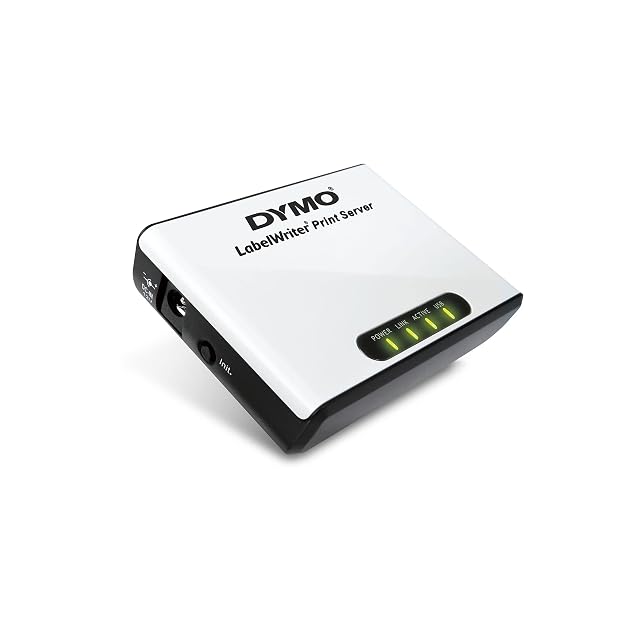
USB to the printer · Ethernet to the network, unrated · one printer · software in five languages · limited to LabelWriter 450-series machines · no protocols published
A print server sold for one range of label printers, which makes it the only unit here whose compatibility is bounded in writing rather than described.
Best for: An office already running a LabelWriter of the 450 series on one desk, where everyone else needs to print to it without moving the printer.
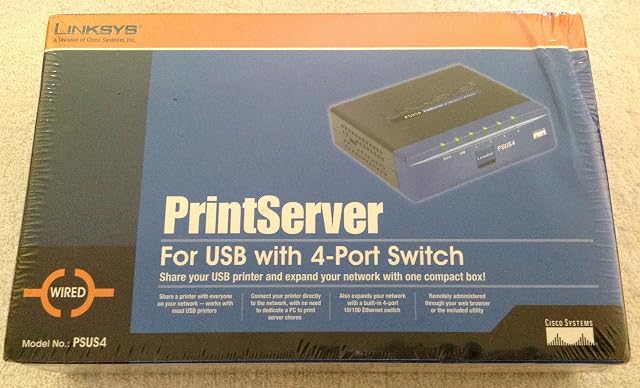
USB to the printer · four-port 10/100 switch built in · auto-negotiating with MDI/MDI-X · one printer · no protocols published · browser or supplied utility
The only print server on this shelf with a network switch inside it — four 10/100 ports, auto-negotiating — on a listing that names no printing protocol and no compatibility list.
Best for: A room with one network socket, a USB printer and two or three other things that need wiring, where the switch is half the reason to buy it.
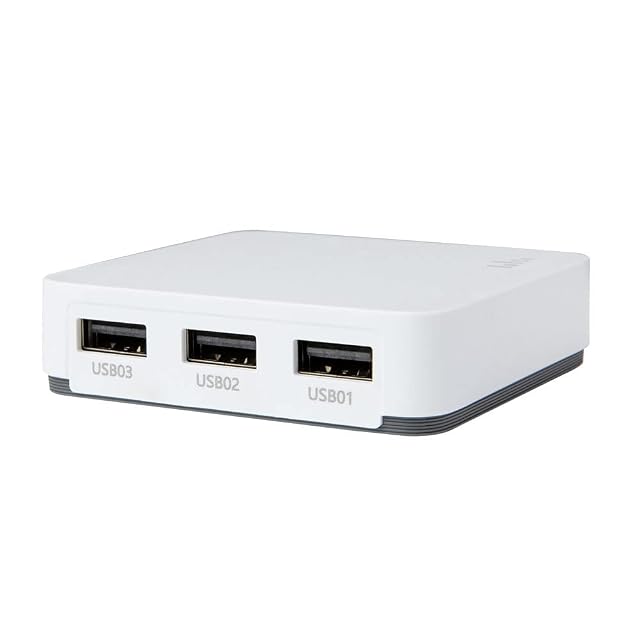
three USB 2.0 printer sockets · wireless, no standard named · no wired socket described · Windows and Android only · Android printing through named third-party apps · no protocols published · no manufacturer reference
The only print server on this shelf that takes three printers at once, and the only one whose route to a phone is a third-party application named on the page.
Best for: An office with three printers nobody will replace, running Windows, where a paid Android application is an acceptable route from a phone.