Everything here hangs on whether your exact printer is on the published list · review
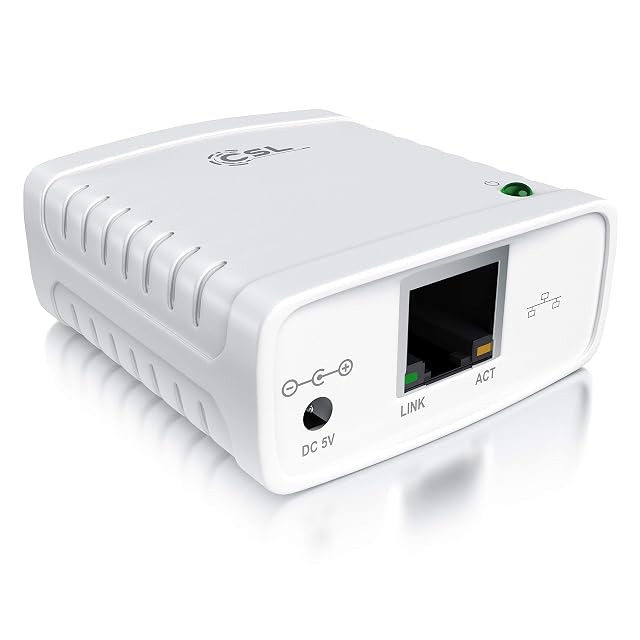
StarTech PM1115U2, one-port USB 2.0 print server with auto-sensing Ethernet review
A one-printer wired server whose Amazon.com listing names its Ethernet designations, its two protocols and its LPR queue, and lists the printers it will not drive.
The title reads “StarTech 1-Port USB 2.0 Network Print Server, 10/100Mbps, TAA (PM1115U2)”. The bullets give one USB 2.0 printer on a wired network with 10Base-T and 100Base-TX auto-sensing; manual setup through a web interface, by static address or DHCP, with the LPR queue named LP1 and a warning that it is not plug-and-play; compatibility with most USB 2.0 printers on standard drivers, and none with USB hubs, multifunction printers with proprietary drivers or printers needing full bidirectional communication; macOS and Windows with LPR and Bonjour Print Services, the included software for Windows only; and printing from any networked computer once the supplied network cable runs to a router or switch. The description adds that Android, iPad and iPhone printing is not supported.
The designation behind the 10/100
10Base-T and 100Base-TX, auto-sensing. A designation can be matched against the port at the other end of the run, and a figure cannot. Auto-sensing then means the unit picks whichever of the two the switch offers, without a jumper or a setting. Only the PM1115UW’s page prints the designations as well.
Two protocols, and the queue name
LPR and Bonjour. One is how a job is sent, the other is how the printer is found. The listing goes one step further than the rest of this shelf and names the LPR queue — LP1 — which is the line a Mac or Linux machine asks for when the printer is added by hand.
The printers it will not drive
No model list, but a list of exclusions: USB hubs, multifunction printers with proprietary drivers, and printers that need full bidirectional communication. The last two rule out most all-in-one machines that scan, and the listing says so in advance rather than leaving it to the first failed job.
Before ordering
Check the printer’s driver. If it installs as a generic or standard driver on Windows and macOS, this unit will carry it; if the maker’s software insists on talking back to the printer, it will not.
Where it holds up, and where it stops
Strengths
Names 10Base-T and 100Base-TX rather than printing 10/100 alone, which is the form that matches a switch port
Names both protocols it speaks, LPR and Bonjour, and even the LPR queue name, LP1
States what it will not drive — USB hubs, multifunction printers with proprietary drivers, printers needing full bidirectional communication — and that phones and tablets cannot print through it
Compromises
Manual network setup, stated in the second bullet as needing intermediate network knowledge
No model list: compatibility is bounded by exclusions rather than published
The included software runs on Windows only
Specifications
Printer connection type
USB 2.0 — stated in the title as a one-port USB 2.0 print server and in the fourth bullet as USB 2.0 compliant
Network port type
Copper Ethernet (RJ45) — stated in the first bullet as 10Base-T and 100Base-TX auto-sensing; the PM1115UW is the only other listing here to print the designations
Network port speed
10/100 Mbit/s, sensed automatically — stated in the title and in the first bullet, where the two designations behind the figures are given as 10BASE-T and 100BASE-TX
Wireless support
Not published on the listing — no wireless is named anywhere, and the fifth bullet requires the supplied network lead to be run from the unit to a network device such as a router
Protocols published
LPR, with the queue named LP1, and Bonjour Print Services — stated in the second and fourth bullets
Number of printers served
One — stated in the title as a one-port print server and in the first bullet as sharing one USB printer across a network
Scanner support
Not named — the third bullet excludes multifunction printers with proprietary drivers and printers that need full bidirectional communication, which is where scanning would sit
Stated operating system support
macOS and Windows — stated in the fourth bullet, with the included software for Windows only; the description states that printing from Android, iPad and iPhone is not supported
Published printer compatibility list
Not published — the third bullet bounds it instead: most USB 2.0 printers using standard drivers, and not USB hubs, multifunction printers with proprietary drivers or printers requiring full bidirectional communication
Amazon reference
B016A4MSA4
EAN
0065030855174
On Amazon.com
Amazon.com had an offer at $44 on October 26, 2026.
The questions that come up before an order
What does Bonjour Print Services add over LPR?
It is how a printer announces itself on a local network so that machines find it without being told an address. LPR is the older way of sending the job once the address is known. A unit that speaks both can be discovered by machines that expect discovery and driven by machines that expect a queue, which is what a mixed household usually contains.
Why single out 10BASE-T and 100BASE-TX?
Because they are the standards behind the figures, and only this page and the PM1115UW's print them. Auto-sensing means the unit works out which of the two the switch is offering and settles there. The designation is what lets that be checked against the switch rather than assumed.
Our score
7.8/ 10
The most candid page on this shelf about its own limits: the Ethernet designations, two protocols with the queue name, and a list of what it will not drive. It is not plug-and-play and says so; for one USB printer on standard drivers in a Mac and Windows office, it was also the lowest Amazon.com price on this shelf on October 26, 2026.
Against the rest of the network and storage gear
This network and storage gear share the category and the price bracket. Only what each one states is shown; an incomplete column would mislead.
Model
Price
Printer connection type
Network port type
Network port speed
Wireless support
StarTech PM1115U2, one-port USB 2.0 print server with auto-sensing Ethernet
$44
USB 2.0 — stated in the title as a one-port USB 2.0 print server and in the fourth bullet as USB 2.0 compliant
Copper Ethernet (RJ45) — stated in the first bullet as 10Base-T and 100Base-TX auto-sensing; the PM1115UW is the only other listing here to print the designations
10/100 Mbit/s, sensed automatically — stated in the title and in the first bullet, where the two designations behind the figures are given as 10BASE-T and 100BASE-TX
Not published on the listing — no wireless is named anywhere, and the fifth bullet requires the supplied network lead to be run from the unit to a network device such as a router
USB — stated in the title and in the second bullet, which describes connecting the printer directly to the network. No USB generation is published
RJ45 copper, as part of a built-in four-port switch — stated in the third bullet. The description adds automatic MDI/MDI-X crossover detection on all four ports, so the cable type does not matter. It is the only listing on this shelf with a switch inside it
10/100 on the switch ports, auto-negotiating — stated in the third bullet and in the description, which adds that each port independently settles on half or full duplex. The claim of up to 200 Mbit/s per port is a full-duplex link counted in both directions at once, not a transfer rate
Not published on the listing — no wireless, no band and no standard appears anywhere. The route to the network is the switch
Parallel, on a Centronics port — stated in the title. Two listings on this shelf take a parallel printer and the other eight are USB
RJ45 copper — stated in the title as a Fast Ethernet print server, with the description describing the connection to the local network
10/100 Mbit/s — stated in the title. No BASE-TX designation and no auto-sensing claim appears in the bullets
Not published on the listing — no wireless, no band and no standard appears anywhere
What separates the models, in network and storage gear
If price decides: this model, at $44.
The buyer this one serves, among network and storage gear
A home or small office with one USB printer and a mixture of Mac and Windows machines, where Bonjour is what those machines already use to find things.
What this one costs among network and storage gear
A reference exists on these Amazon stores: France, Germany, Italy, Spain, United Kingdom, United States. Listed is not the same as in stock — availability changes daily.
Details checked on October 26, 2026.
What buyers actually choose
Amazon reports what buyers took in the month before this page was last checked: at least 100.
The figure is a floor, rounded by Amazon, and read through Keepa — it says what buyers picked, not what a maker claims.
Sources
Specifications: the manufacturer sheet for network and storage gear and the matching Amazon product page. Prices and availability: Keepa. Every figure on this page names its source.
USB 2.0 to the printer · RJ45 to the network · Fast Ethernet, unrated · web management · protocol list printed with HDCP in it · no model list
A wired print server with a web page for setup, whose protocol list includes a video acronym and whose compatibility is described in words rather than published as a list.
Best for: A small office with an ordinary USB printer and Windows machines, where the printer should stand where it is convenient rather than beside one desk.
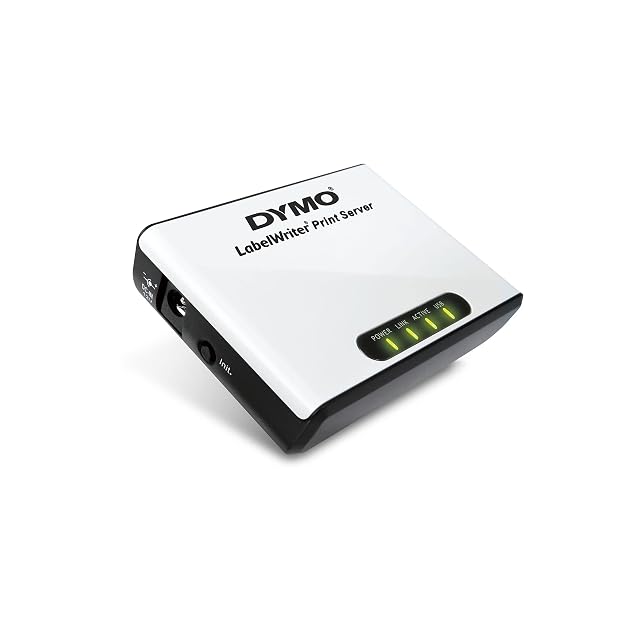
USB to the printer · Ethernet to the network, unrated · one printer · software in five languages · limited to LabelWriter 450-series machines · no protocols published
A print server sold for one range of label printers, which makes it the only unit here whose compatibility is bounded in writing rather than described.
Best for: An office already running a LabelWriter of the 450 series on one desk, where everyone else needs to print to it without moving the printer.
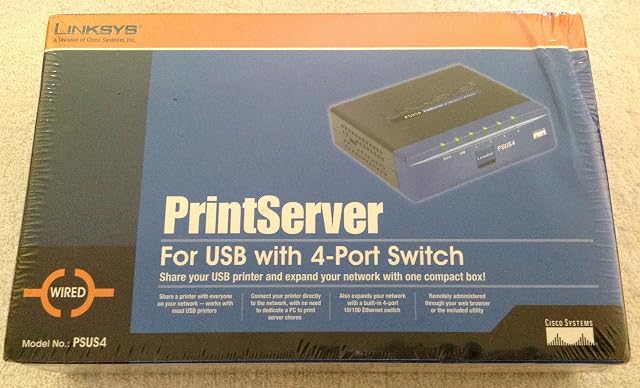
USB to the printer · four-port 10/100 switch built in · auto-negotiating with MDI/MDI-X · one printer · no protocols published · browser or supplied utility
The only print server on this shelf with a network switch inside it — four 10/100 ports, auto-negotiating — on a listing that names no printing protocol and no compatibility list.
Best for: A room with one network socket, a USB printer and two or three other things that need wiring, where the switch is half the reason to buy it.