Everything here hangs on whether your exact printer is on the published list · review
X-MEDIA XM-PS110P, a Centronics parallel port with a self test and an email alert review
A parallel print server that publishes a power-on self test and an email alert for printing problems — the only warning of any kind on this shelf — with a named compatibility document behind it.
The third bullet contains something no other listing on this shelf has: “Supports POST (Power On Self Test) and E-mail Alert, to help identify printing problems as soon as possible”.
A power-on self test is the unit checking itself when it starts; an email alert is the unit telling somebody when a job fails. Nine other listings sit on this shelf and not one of them publishes a way of being informed that something has gone wrong. On a device whose whole job is to sit behind a printer unattended, that is the feature that distinguishes a print server from a cable.
The printer side is parallel: a Centronics port, stated in the title. Two listings on this shelf take a parallel printer, this one and the StarTech PM1115P3; the other eight are USB. The intro to this section says a parallel port appears “occasionally on units aimed at older machines”, and that is exactly the case — a laser printer from the late 1990s with a 36-pin socket and no network of its own.
Compatibility is handled the same way as the USB version of this unit. The first bullet claims up to 230 printer models and the fifth names the document: a PDF compatibility guide under Product Guide & Documents. Two hundred and thirty is fewer than the 320 the USB version claims, which is what one would expect — there are fewer parallel printers — and both numbers come with somewhere to check them.
Beyond that the page is as thin as its sibling. The second bullet claims multi-protocol and multi-OS support and names neither: no IPP, no LPR, no raw port 9100, no AppleTalk, and no version of any operating system. The StarTech parallel unit on this shelf, which costs $8.00 more, names twelve protocols and three operating systems — and on a parallel printer the protocol list matters more than usual, because the machine has no network stack of its own to help.
The fourth bullet says setup and management are simple. The description repeats the family’s purpose: connect the unit to the printer’s parallel port, connect it to the network, reach the printer from any computer on the local network.
No wireless, so the unit needs a cable where the printer is. No scanner support named, which on a parallel-era machine is rarely the question anyway. One printer, one socket.
At $74.99 and 51 g (1.8 oz) this sits between its own USB sibling at $51.99 and the StarTech parallel unit at $82.99, which weighs six grams less.
Prices quoted in this text were read on October 26, 2026. The live price is at the top of the page.
Where it holds up, and where it stops
Strengths
The only listing on this shelf that publishes a way of being told something is wrong: a power-on self test and an email alert
Names a compatibility document with a printer count behind it, 230 models, which most of this shelf does not do at all
A Centronics parallel port, which puts a printer from before networks onto the network — one of only two such listings here
Fifty-one grams, within six of the lightest unit on this shelf, so it hangs off the back of the printer
Compromises
Claims multi-protocol support and names not one protocol, which matters more on a parallel printer than on a USB one
Claims multi-OS support and names no operating system or version
$23 more than the USB version of the same unit on Amazon.com on October 26, 2026, for a lower printer count
The StarTech parallel server on this shelf cost $8 more on the same day and names twelve protocols and three operating systems
No wireless, so a network cable has to reach wherever the old printer stands
Specifications
Printer connection type
Parallel, on a Centronics port — stated in the title. Two listings on this shelf take a parallel printer and the other eight are USB
Network port type
RJ45 copper — stated in the title as a Fast Ethernet print server, with the description describing the connection to the local network
Network port speed
10/100 Mbit/s — stated in the title. No BASE-TX designation and no auto-sensing claim appears in the bullets
Wireless support
Not published on the listing — no wireless, no band and no standard appears anywhere
Protocols published
Not published on the listing — the second bullet claims multi-protocol support and names none. On a parallel printer, which has no network stack of its own, the protocol list matters more than usual
Number of printers served
One — the title gives a one-port print server with a single parallel socket
Scanner support
Not published on the listing — scanning is not named in either direction, which on a parallel-era printer is seldom the question
Stated operating system support
Not published on the listing — the second bullet claims multi-OS support and names no system and no version
Published printer compatibility list
Pointed to rather than printed — the first bullet claims up to 230 printer models and the fifth names a PDF compatibility guide under Product Guide & Documents. Fewer models than the USB version of this unit, which claims 320, and both come with somewhere to check
Amazon reference
B07RHWB9FL
EAN
0850390003330
On Amazon.com
Amazon.com had an offer at $75 on October 26, 2026.
The questions that come up before an order
What does the email alert do?
The third bullet says it helps identify printing problems as soon as possible, alongside a power-on self test. No other listing on this shelf publishes any way of being informed that something has gone wrong.
What is a Centronics port?
The 36-pin parallel socket on printers made before USB and networking were standard. The title names it, and this is one of only two listings on this shelf that take one.
Why does it claim fewer printers than the USB version?
Two hundred and thirty models against 320, which follows from there being fewer parallel printers ever made. Both numbers come with a compatibility PDF named on the listing.
Against the rest of the network and storage gear
This network and storage gear share the category and the price bracket. Only what each one states is shown; an incomplete column would mislead.
Model
Price
Printer connection type
Network port type
Network port speed
Wireless support
X-MEDIA XM-PS110P, a Centronics parallel port with a self test and an email alert
$75
Parallel, on a Centronics port — stated in the title. Two listings on this shelf take a parallel printer and the other eight are USB
RJ45 copper — stated in the title as a Fast Ethernet print server, with the description describing the connection to the local network
10/100 Mbit/s — stated in the title. No BASE-TX designation and no auto-sensing claim appears in the bullets
Not published on the listing — no wireless, no band and no standard appears anywhere
USB 2.0 — stated in the title as a one-port USB 2.0 print server and in the fourth bullet as USB 2.0 compliant, with the description adding compatibility with most USB printers on the market
Both — an RJ45 copper socket and 802.11b/g/n wireless, stated in the first bullet. The description gives the wired port as a primary or backup interface. The SatcOp is the only other listing here to name both routes, and it gives no standard for either
10/100 Mbit/s on the wired socket — stated in the first bullet, with the description naming IEEE 802.3 10BASE-T and IEEE 802.3u 100BASE-T compliance. Printing the clause numbers is more precise than the Fast Ethernet two listings here settle for
802.11b/g/n — stated in the first bullet and in the description, with IEEE 802.11b/g/n compliance named. No band, no channel width and no stream count is published
Parallel, on a Centronics 36-pin port — stated in the title and named precisely in the second bullet, which says the unit connects directly to that socket on the printer. No USB printer socket exists
RJ45 copper — stated in the title as Ethernet, with the first bullet giving support for 10/100 Mbit/s local networks
10/100 Mbit/s — stated in the title and in the first bullet, with the description adding support for both 10 and 100 Mbit/s speeds. No BASE-TX designation appears
Not published on the listing — no wireless, no band and no standard appears anywhere. The same maker’s wireless unit is on this shelf
USB — stated in the title and in the second bullet, which describes connecting the printer directly to the network. No USB generation is published
RJ45 copper, as part of a built-in four-port switch — stated in the third bullet. The description adds automatic MDI/MDI-X crossover detection on all four ports, so the cable type does not matter. It is the only listing on this shelf with a switch inside it
10/100 on the switch ports, auto-negotiating — stated in the third bullet and in the description, which adds that each port independently settles on half or full duplex. The claim of up to 200 Mbit/s per port is a full-duplex link counted in both directions at once, not a transfer rate
Not published on the listing — no wireless, no band and no standard appears anywhere. The route to the network is the switch
What separates the models, in network and storage gear
If price decides: Linksys PSUS4, a print server with a four-port switch inside it, at $64.
The buyer this one serves, among network and storage gear
A parallel printer that must be reachable and must say when a job has failed, by somebody who will not be standing next to it.
What this one costs among network and storage gear
Details checked on October 26, 2026.
Sources
Specifications: the manufacturer sheet for network and storage gear and the matching Amazon product page. Prices and availability: Keepa. Every figure on this page names its source.
USB 2.0 to the printer · RJ45 to the network · Fast Ethernet, unrated · web management · protocol list printed with HDCP in it · no model list
A wired print server with a web page for setup, whose protocol list includes a video acronym and whose compatibility is described in words rather than published as a list.
Best for: A small office with an ordinary USB printer and Windows machines, where the printer should stand where it is convenient rather than beside one desk.
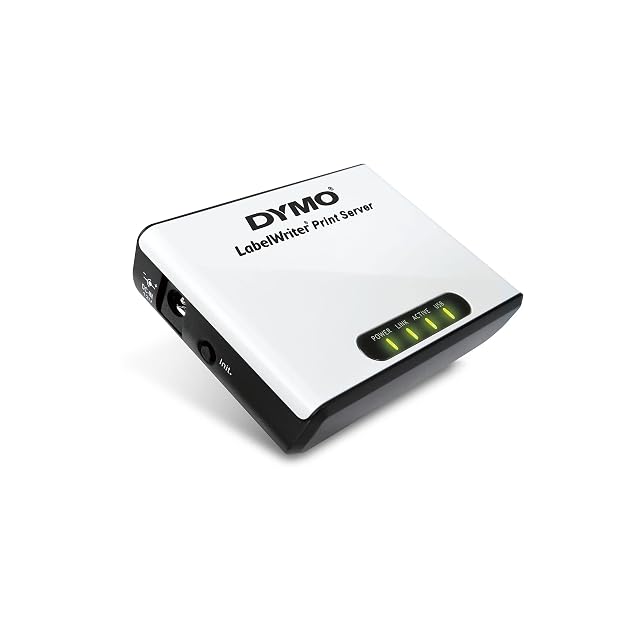
USB to the printer · Ethernet to the network, unrated · one printer · software in five languages · limited to LabelWriter 450-series machines · no protocols published
A print server sold for one range of label printers, which makes it the only unit here whose compatibility is bounded in writing rather than described.
Best for: An office already running a LabelWriter of the 450 series on one desk, where everyone else needs to print to it without moving the printer.
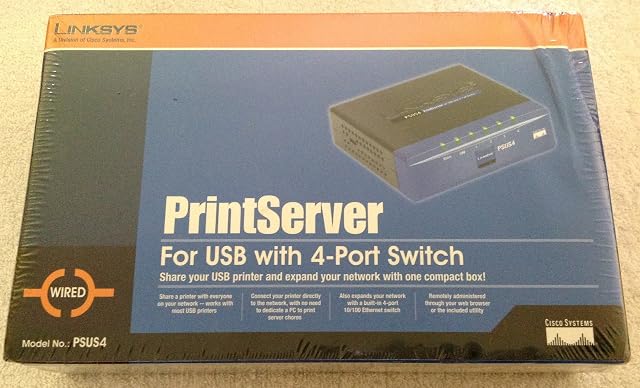
USB to the printer · four-port 10/100 switch built in · auto-negotiating with MDI/MDI-X · one printer · no protocols published · browser or supplied utility
The only print server on this shelf with a network switch inside it — four 10/100 ports, auto-negotiating — on a listing that names no printing protocol and no compatibility list.
Best for: A room with one network socket, a USB printer and two or three other things that need wiring, where the switch is half the reason to buy it.