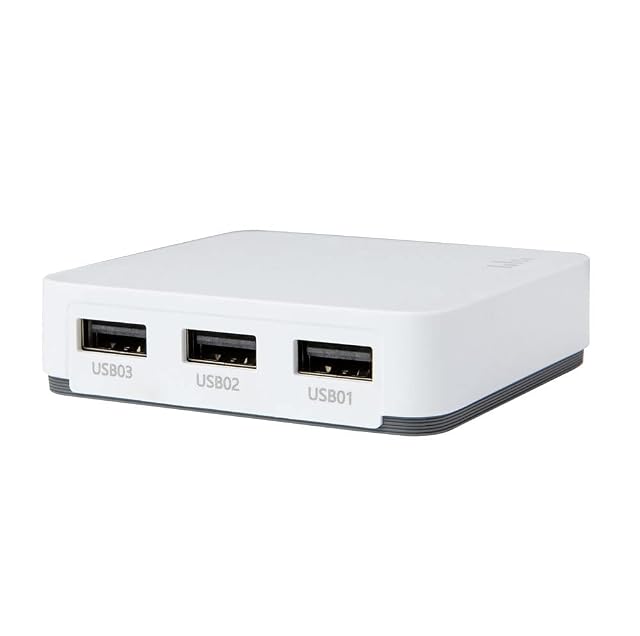
Skip to content

Linksys PSUS4, a print server with a four-port switch inside it review

The only print server on this shelf with a network switch inside it — four 10/100 ports, auto-negotiating — on a listing that names no printing protocol and no compatibility list.

Every other listing on this shelf plugs into a network. This one is part of one.

The third bullet gives a built-in four-port 10/100 Ethernet switch, and the description explains what that means in practice: all four ports auto-negotiate their speed and perform automatic MDI/MDI-X crossover detection, so the cable type does not matter, and each port independently settles on half or full duplex. For a printer standing in a room with a desktop machine and a games console and one network socket in the wall, that is one box instead of two.

The description also contains a figure that needs reading carefully: “up to 200Mbps of bandwidth per port”. A 100 Mbit/s port does not carry 200 Mbit/s. What the sentence describes is a full-duplex link counted in both directions at once — a hundred each way, added together. It is a real property of the port and it is not a speed, and the page does not say which it means. Store-and-forward switching is named in the same passage.

The print serving itself is the plainest part of the page and the least documented. The second bullet says a USB printer connects directly to the network with no computer dedicated to the job, and the description adds the argument: a shared printer on a desktop machine means leaving that machine switched on. Not one printing protocol is named — no IPP, no LPR, no raw port 9100, no Bonjour, no AirPrint. The StarTech PM1115P3 on this shelf names twelve; this one names none, which means the supplied utility is the route and every machine in the house will want it.

The fourth bullet gives remote administration through a web browser or the included utility. It is printed twice, word for word, as the fourth and fifth bullets of the listing — the same sentence filling two slots.

No compatibility list appears. The intro to this section says that in this family the list is the specification, and this page offers neither a list, nor a model count, nor a document to look one up in. Three of the ten listings on this shelf point at a compatibility document or a bounded range — the two X-MEDIA units and the DYMO; this is not one of them.

No scanner support is named in either direction, no operating system is named, no network port speed is given for the uplink as distinct from the switch ports, and no wireless is claimed. At 200 g (7.1 oz) and 248 by 159 by 64 mm (2.52 in) this is by far the largest unit on this shelf — the StarTech and X-MEDIA units run from 45 to 62 grams — which follows from there being a four-port switch inside it.

At $63.79 on October 26, 2026, it sat in the middle of the prices on this shelf — above the StarTech PM1115U2 and the X-MEDIA XM-PS110U, below the parallel units and the wireless ones.

Prices quoted in this text were read on October 26, 2026. The live price is at the top of the page.
Where it holds up, and where it stops

Strengths

  • The only print server on this shelf with a network switch inside it: four 10/100 ports, auto-negotiating, with automatic crossover detection
  • States the argument for a print server plainly — a shared printer on a desktop means leaving that machine switched on
  • Administered from a browser as well as from the supplied utility, so a Mac or a Linux machine is not locked out of the setup
  • Two devices in one box for $63.79 on Amazon.com on October 26, 2026

Compromises

  • Not one printing protocol is named, so the supplied utility is the published route and every machine will want it
  • No compatibility list, no model count and no document to look one up in, on the family where the list is the specification
  • The fourth bullet is printed twice, word for word, filling two of the five slots
  • The claim of 200 Mbit/s per port is a full-duplex sum on a 100 Mbit/s port, and the page does not say so
  • By far the largest unit on this shelf at 200 g (7.1 oz) and 248 mm (9.76 in) wide, where the StarTech and X-MEDIA units run from 45 to 62 g (1.6 to 2.2 oz)
  • No scanner support and no operating system named at all

Specifications

Printer connection typeUSB — stated in the title and in the second bullet, which describes connecting the printer directly to the network. No USB generation is published
Network port typeRJ45 copper, as part of a built-in four-port switch — stated in the third bullet. The description adds automatic MDI/MDI-X crossover detection on all four ports, so the cable type does not matter. It is the only listing on this shelf with a switch inside it
Network port speed10/100 on the switch ports, auto-negotiating — stated in the third bullet and in the description, which adds that each port independently settles on half or full duplex. The claim of up to 200 Mbit/s per port is a full-duplex link counted in both directions at once, not a transfer rate
Wireless supportNot published on the listing — no wireless, no band and no standard appears anywhere. The route to the network is the switch
Protocols publishedNot published on the listing — not one printing or network protocol is named in the title, in any bullet or in the description, which leaves the supplied utility as the published route to the printer
Number of printers servedOne — the title and the second bullet describe a USB printer in the singular. The four switch ports are for other network devices and not for printers
Scanner supportNot published on the listing — scanning is not named in either direction anywhere on the page
Stated operating system supportNot published on the listing — no operating system and no version is named, although the fourth bullet offers both a browser and a supplied utility for administration
Published printer compatibility listNot published on the listing — no list, no model count and no compatibility document appears. In this family the list is the specification, and this page has none
Amazon referenceB0000DF2LT
EAN0745883557790
On Amazon.comAmazon.com had an offer at $64 on October 26, 2026.

The questions that come up before an order

What is the four-port switch for?

Other network devices. The printer connects over USB and the four RJ45 ports extend the network to whatever else is in the room, auto-negotiating speed and duplex and detecting the cable type.

Does a port really carry 200 Mbit/s?

No. The ports are 10/100. Two hundred is the full-duplex sum — a hundred megabits each way at the same time — counted in one figure. The description prints it without explaining it.

Which printers will it work with?

The page does not say. No compatibility list, no model count and no document appears anywhere, which on this shelf is the question that decides everything.

Against the rest of the network and storage gear

This network and storage gear share the category and the price bracket. Only what each one states is shown; an incomplete column would mislead.

Model Price Printer connection typeNetwork port typeNetwork port speedWireless support
Linksys PSUS4, a print server with a four-port switch inside it $64 USB — stated in the title and in the second bullet, which describes connecting the printer directly to the network. No USB generation is publishedRJ45 copper, as part of a built-in four-port switch — stated in the third bullet. The description adds automatic MDI/MDI-X crossover detection on all four ports, so the cable type does not matter. It is the only listing on this shelf with a switch inside it10/100 on the switch ports, auto-negotiating — stated in the third bullet and in the description, which adds that each port independently settles on half or full duplex. The claim of up to 200 Mbit/s per port is a full-duplex link counted in both directions at once, not a transfer rateNot published on the listing — no wireless, no band and no standard appears anywhere. The route to the network is the switch
X-MEDIA XM-PS110P, a Centronics parallel port with a self test and an email alert $75 Parallel, on a Centronics port — stated in the title. Two listings on this shelf take a parallel printer and the other eight are USBRJ45 copper — stated in the title as a Fast Ethernet print server, with the description describing the connection to the local network10/100 Mbit/s — stated in the title. No BASE-TX designation and no auto-sensing claim appears in the bulletsNot published on the listing — no wireless, no band and no standard appears anywhere
StarTech.com PM1115UW, wireless and wired both — and AirPrint ruled out in writing $76 USB 2.0 — stated in the title as a one-port USB 2.0 print server and in the fourth bullet as USB 2.0 compliant, with the description adding compatibility with most USB printers on the marketBoth — an RJ45 copper socket and 802.11b/g/n wireless, stated in the first bullet. The description gives the wired port as a primary or backup interface. The SatcOp is the only other listing here to name both routes, and it gives no standard for either10/100 Mbit/s on the wired socket — stated in the first bullet, with the description naming IEEE 802.3 10BASE-T and IEEE 802.3u 100BASE-T compliance. Printing the clause numbers is more precise than the Fast Ethernet two listings here settle for802.11b/g/n — stated in the first bullet and in the description, with IEEE 802.11b/g/n compliance named. No band, no channel width and no stream count is published
X-MEDIA XM-PS110U, 320 printer models and a compatibility document to check them in $52 USB 2.0 — stated in the title and in the third bullet as a USB 2.0 compliant printing port, with one socketRJ45 copper — stated in the title as a Fast Ethernet print server, and the description describes connecting the unit to the local network10/100 Mbit/s — stated in the title. No BASE-TX designation and no auto-sensing claim appears in the bulletsNot published on the listing — no wireless, no band and no standard appears anywhere. The route to the network is the Ethernet socket

What separates the models, in network and storage gear

  • If price decides: X-MEDIA XM-PS110U, 320 printer models and a compatibility document to check them in, at $52.

The buyer this one serves, among network and storage gear

A room with one network socket, a USB printer and two or three other things that need wiring, where the switch is half the reason to buy it.

What this one costs among network and storage gear

Details checked on October 26, 2026.

Sources

Specifications: the manufacturer sheet for network and storage gear and the matching Amazon product page. Prices and availability: Keepa. Every figure on this page names its source.

What we look at on this network and storage gear