Skip to content

StarTech.com PM1115UW, wireless and wired both — and AirPrint ruled out in writing review

One of two print servers here with both a wireless and a wired route to the same printer, and with the PM1115U2 one of two that rule out iPhone and iPad printing in writing.

The fourth bullet ends with a sentence that will save somebody an afternoon: “NOTE: iOS, iPadOS, and Airprint are not supported.”

The intro to this section says that AirPrint and Bonjour are what matter for phones and tablets. This page excludes all three — the two Apple operating systems and the protocol — outright, in capitals, on a wireless print server. That is the right place to put it and almost nobody does. What makes it sharper is that the same maker’s wired PM1115U2, also on this shelf, names Bonjour among its protocols. One maker, two units: the wired one answers to a Mac’s discovery and the wireless one refuses iPhones.

Set that aside and this is the most flexible unit here. The first bullet gives 802.11b/g/n wireless for the network side and an RJ45 socket for 10/100 wired, and the description explains the arrangement: the wired port serves as a primary or a backup interface. Ten listings sit on this shelf and two have both routes to the network on the same box — this one and the SatcOp, which names no standard for either; the LOYALTY-SECU is wireless only, and seven are wired only. For a printer in a spot a cable cannot reach, that is the whole point of the family; for one that a cable reaches badly, having both is better than choosing.

The standards are given properly in the description: IEEE 802.3 10BASE-T, IEEE 802.3u 100BASE-T and IEEE 802.11b/g/n. The intro to this shelf names 100BASE-TX as the designation to look for, and a page that prints the IEEE clause numbers is being more precise than one that writes Fast Ethernet and stops — which two listings on this shelf do.

The protocol list is the gap. SNMP is named in the fourth bullet and nothing else is: no IPP, no LPR, no raw port 9100, and — as the same bullet says — no AirPrint. The StarTech parallel unit on this shelf names twelve. On a wireless unit the absence matters more, because wireless is chosen for places where installing software on every machine is least convenient.

Setup is published two ways in the description: a web interface or a Windows installation wizard. The second bullet adds a step-by-step video, a manual, online FAQs and a community, which is as much support material as anything else here names. The fifth gives two years of warranty with free lifetime 24/5 multilingual technical assistance — the only lifetime support commitment on this shelf.

No compatibility list appears, only that the unit works with most USB printers on the market. The third bullet names home and small office use. No scanner support is named in either direction. At $76.49 and 50 g (1.It weighs 50 g (1.8 oz). At $76.49 on October 26, 2026, it sat between the X-MEDIA parallel unit and the PM1115P3, and of the three StarTech units here the parallel PM1115P3 was the dearest.

Prices quoted in this text were read on October 26, 2026. The live price is at the top of the page.
Where it holds up, and where it stops

Strengths

  • Both a wireless and a wired route to the network on one unit, the wired one named as a backup interface — and the only such unit here with a standard named for each
  • Rules out iOS, iPadOS and AirPrint in writing, on the page, where the question is most likely to be asked
  • Publishes the IEEE clause numbers — 802.3 10BASE-T, 802.3u 100BASE-T, 802.11b/g/n — rather than writing Fast Ethernet and stopping
  • Two years of warranty with free lifetime 24/5 multilingual support, the only lifetime commitment on this shelf
  • Setup through a web interface or a Windows wizard, with a video, a manual and online FAQs named

Compromises

  • SNMP is the only protocol named, on a wireless unit where installing software on every machine is least convenient
  • No AirPrint means no printing from an iPhone or an iPad at all, stated plainly and still a real limit
  • No compatibility list and no document — most USB printers on the market is as fine as it gets
  • No scanner support named, and no Linux among the operating systems
  • No band, no channel width and no stream count for the wireless side

Specifications

Printer connection typeUSB 2.0 — stated in the title as a one-port USB 2.0 print server and in the fourth bullet as USB 2.0 compliant, with the description adding compatibility with most USB printers on the market
Network port typeBoth — an RJ45 copper socket and 802.11b/g/n wireless, stated in the first bullet. The description gives the wired port as a primary or backup interface. The SatcOp is the only other listing here to name both routes, and it gives no standard for either
Network port speed10/100 Mbit/s on the wired socket — stated in the first bullet, with the description naming IEEE 802.3 10BASE-T and IEEE 802.3u 100BASE-T compliance. Printing the clause numbers is more precise than the Fast Ethernet two listings here settle for
Wireless support802.11b/g/n — stated in the first bullet and in the description, with IEEE 802.11b/g/n compliance named. No band, no channel width and no stream count is published
Protocols publishedSNMP only, with three exclusions — the fourth bullet names Simple Network Management Protocol and then states that iOS, iPadOS and AirPrint are not supported. No IPP, no LPR and no raw port 9100 appears. The same maker’s wired unit on this shelf names Bonjour
Number of printers servedOne — stated in the title as a one-port print server, with the description adding that multiple users can share it simultaneously
Scanner supportNot published on the listing — scanning is not named in either direction, which on a multifunction machine is where this family usually fails
Stated operating system supportMac and Windows, with no versions — stated in the fourth bullet, which in the same breath excludes iOS and iPadOS. No Linux is named
Published printer compatibility listNot published on the listing — the description claims compatibility with most USB printers on the market and names no model and no document. The exclusion of AirPrint is the only hard compatibility statement on the page
Amazon referenceB00M77UME8
EAN0065030855167
On Amazon.comAmazon.com had an offer at $76 on October 26, 2026.

The questions that come up before an order

Can I print from an iPhone or an iPad?

No. The fourth bullet states in capitals that iOS, iPadOS and AirPrint are not supported. With the PM1115U2, it is one of two listings on this shelf to settle the question in writing, and it settles it against.

Does it need a cable or not?

Neither, or both. The first bullet gives 802.11b/g/n wireless and an RJ45 socket for 10/100 wired, and the description names the wired port as a primary or a backup interface. Only the SatcOp also offers both, without naming a standard for either.

Which protocols will find the printer?

Only SNMP is named, which is a management protocol rather than a printing one. No IPP, no LPR and no raw port 9100 appears, so the supplied setup route is what the page offers.

Against the rest of the network and storage gear

This network and storage gear share the category and the price bracket. Only what each one states is shown; an incomplete column would mislead.

Model Price Printer connection typeNetwork port typeNetwork port speedWireless support
StarTech.com PM1115UW, wireless and wired both — and AirPrint ruled out in writing $76 USB 2.0 — stated in the title as a one-port USB 2.0 print server and in the fourth bullet as USB 2.0 compliant, with the description adding compatibility with most USB printers on the marketBoth — an RJ45 copper socket and 802.11b/g/n wireless, stated in the first bullet. The description gives the wired port as a primary or backup interface. The SatcOp is the only other listing here to name both routes, and it gives no standard for either10/100 Mbit/s on the wired socket — stated in the first bullet, with the description naming IEEE 802.3 10BASE-T and IEEE 802.3u 100BASE-T compliance. Printing the clause numbers is more precise than the Fast Ethernet two listings here settle for802.11b/g/n — stated in the first bullet and in the description, with IEEE 802.11b/g/n compliance named. No band, no channel width and no stream count is published
X-MEDIA XM-PS110P, a Centronics parallel port with a self test and an email alert $75 Parallel, on a Centronics port — stated in the title. Two listings on this shelf take a parallel printer and the other eight are USBRJ45 copper — stated in the title as a Fast Ethernet print server, with the description describing the connection to the local network10/100 Mbit/s — stated in the title. No BASE-TX designation and no auto-sensing claim appears in the bulletsNot published on the listing — no wireless, no band and no standard appears anywhere
StarTech.com PM1115P3, twelve protocols named and a Centronics port $83 Parallel, on a Centronics 36-pin port — stated in the title and named precisely in the second bullet, which says the unit connects directly to that socket on the printer. No USB printer socket existsRJ45 copper — stated in the title as Ethernet, with the first bullet giving support for 10/100 Mbit/s local networks10/100 Mbit/s — stated in the title and in the first bullet, with the description adding support for both 10 and 100 Mbit/s speeds. No BASE-TX designation appearsNot published on the listing — no wireless, no band and no standard appears anywhere. The same maker’s wireless unit is on this shelf
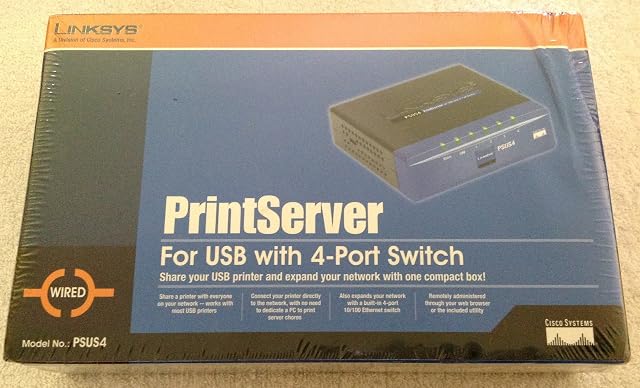
Linksys PSUS4, a print server with a four-port switch inside it $64 USB — stated in the title and in the second bullet, which describes connecting the printer directly to the network. No USB generation is publishedRJ45 copper, as part of a built-in four-port switch — stated in the third bullet. The description adds automatic MDI/MDI-X crossover detection on all four ports, so the cable type does not matter. It is the only listing on this shelf with a switch inside it10/100 on the switch ports, auto-negotiating — stated in the third bullet and in the description, which adds that each port independently settles on half or full duplex. The claim of up to 200 Mbit/s per port is a full-duplex link counted in both directions at once, not a transfer rateNot published on the listing — no wireless, no band and no standard appears anywhere. The route to the network is the switch

What separates the models, in network and storage gear

  • If price decides: Linksys PSUS4, a print server with a four-port switch inside it, at $64.

The buyer this one serves, among network and storage gear

A printer where no cable reaches, in a household with no iPhones expecting to print to it.

What this one costs among network and storage gear

Details checked on October 26, 2026.

Sources

Specifications: the manufacturer sheet for network and storage gear and the matching Amazon product page. Prices and availability: Keepa. Every figure on this page names its source.

What we look at on this network and storage gear