
Skip to content

TP-Link EAP650, Wi-Fi 6 access point managed under Omada vs Ubiquiti Networks UniFi 6 Lite, 2×2 Wi-Fi 6 access point

Which page tells you more: the one with the rates, or the one with the mounting?

Two Wi-Fi 6 access points on gigabit uplinks, each publishing what the other omits. The TP-Link EAP650 prints AX3000 and then prints the arithmetic behind it — 574 plus 2402 makes 2976 — names 802.3at PoE+ and supplies a mains adapter, and manages under Omada. The Ubiquiti UniFi 6 Lite publishes 2×2, the only stream count in this family, calls its 1.5 Gbit/s an aggregate radio rate, and says how and why to mount it on a ceiling or a wall.

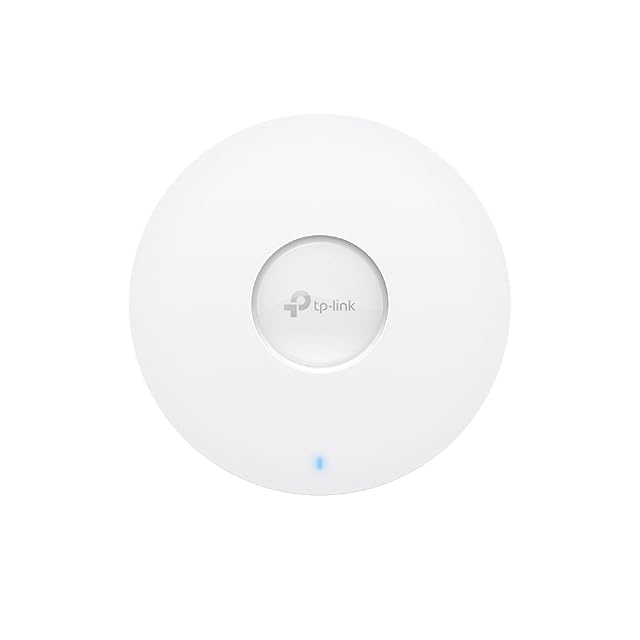
TP-Link EAP650 slim round white access point seen from below

TP-Link EAP650, Wi-Fi 6 access point managed under Omada

Wins 4 of 9

Check price

≈ $130 / 89 €

Ubiquiti UniFi 6 Lite small round white access point on a ceiling

Ubiquiti Networks UniFi 6 Lite, 2×2 Wi-Fi 6 access point

Wins 2 of 9

Check price

≈ $150 / £129 / 138 €

Line by line

Compared on EAP650, Wi-Fi 6 access point managed under Omada UniFi 6 Lite, 2×2 Wi-Fi 6 access point
Wi-Fi generation Wi-Fi 6 Wi-Fi 6
IEEE designation Not published for the radio — 802.3at is named for power, and no 802.11 letter pair for the generation Not published — no 802.11 letter pair among the five bullets
Stated class figure AX3000 on the title and 2976 Mbit/s in the first bullet — the listing publishes the sum itself, 574 at 2.4 GHz plus 2402 at 5 GHz, rather than only the rounded badge Up to 1.5 Gbit/s, called by the maker an aggregate radio rate — which is what a class figure is: the peaks of the separate radios added together. No AX badge printed
Band plan Two radios, rated, simultaneous, with a 160 MHz channel named as HE160 Two radios described by what they carry — 5 GHz with MU-MIMO and OFDMA, 2.4 GHz with MIMO; the individual rates are not given
Stream count Not published — a single stream is mentioned inside the HE160 claim, and no 2×2 or 4×4 figure is given for the unit 2×2, stated twice — the only stream count published in this family
PoE standard required 802.3at PoE+, by designation, with a DC mains adapter supplied as the alternative 802.3af, by designation, alongside Gigabit Ethernet; whether an injector is supplied is not said
Uplink port speed Gigabit, without the 1000BASE-T designation behind the word Gigabit Ethernet, without the 1000BASE-T designation behind the word
Mounting type Not published — an ultra-flat body of 160 mm by 33.6 mm is stated, and no bracket, plate or fixing is named Ceiling or wall, with the reason for each — horizontally in a ceiling for a dense area, vertically on a wall to extend reach — and covers and mounting accessories named as fitting
Management method Omada SDN, locally or from the cloud, through a web interface or an app, with Omada Mesh linking access points wirelessly Not published — the UniFi name appears in the product name and no controller, interface, app or cloud service is described

A tick means one listing published something the other did not, or published a better figure. It does not mean the product is better, and the column is not a score out of anything: a maker who says less loses lines here without losing a comparison. The two verdicts below are where the page is settled.

Which one, for whom

Buy the TP-Link EAP650, Wi-Fi 6 access point managed under Omada

The EAP650 is the access point to buy if the network is going to be managed rather than merely installed. Omada SDN is named and described, the PoE class is 802.3at with an adapter in the box for anyone without a powered switch, and the listing prints 2976 Mbit/s beside the AX3000 badge instead of hiding the arithmetic. It says nothing about how the unit attaches to anything, on a device designed for a ceiling.

Buy the Ubiquiti Networks UniFi 6 Lite, 2×2 Wi-Fi 6 access point

The UniFi 6 Lite publishes the figure everything else in this family withholds — 2×2 — and it is the only page here that explains the mounting: flat in the ceiling for a crowded room, upright on a wall to push the signal further. It runs on 802.3af, the lower of the two PoE classes, which more switches supply. Against that, its listing never names a controller, so a buyer new to the range cannot tell from this page what manages it.

The questions that come up before an order

Is 1.5 Gbit/s the speed a device will get?

No, and this listing is unusually clear about it — the maker calls it an aggregate radio rate, which is the peaks of the separate radios added together. That is what every class figure of this kind is. The TP-Link page does the same thing from the other direction, printing 2976 Mbit/s as 574 plus 2402. Neither number is a measurement.

802.3af or 802.3at — which do I need?

Whichever your switch supplies. The UniFi 6 Lite states 802.3af, the lower class, so more switches will run it. The EAP650 states 802.3at, which is the higher one — and it comes with a mains adapter, so it can be run without any powered switch at all. Check the class your switch publishes before ordering either.

The full reviews

Every price named in a summary was read on the date that review carries. What a shop asks today is shown beside the product, and it moves.