Skip to content

FRITZ! FRITZ!Box 7530 AX, Wi-Fi 6 DSL router with telephony vs TP-Link Archer AX55, dual-band Wi-Fi 6 router with a USB 3.0 socket

Do you need a modem in the box, or four sockets and a USB port on the back?

These two are not interchangeable, and the difference is the incoming line. The FRITZ!Box 7530 AX has the DSL modem built in, with VDSL supervectoring 35b stated at up to 300 Mbit/s, and adds VoIP and DECT telephony. The TP-Link Archer AX55 has no modem at all and counts what the other never does: four Gigabit LAN sockets, one USB 3.0 socket, four external antennas.

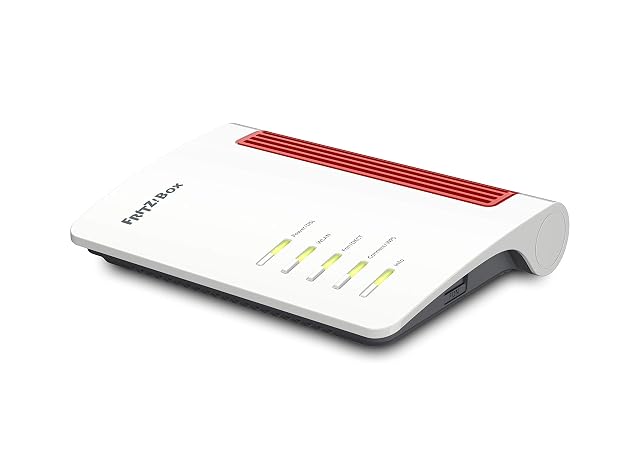
FRITZ!Box 7530 AX red and white DSL router lying flat

FRITZ! FRITZ!Box 7530 AX, Wi-Fi 6 DSL router with telephony

Wins 0 of 10

Check price

≈ 150 €

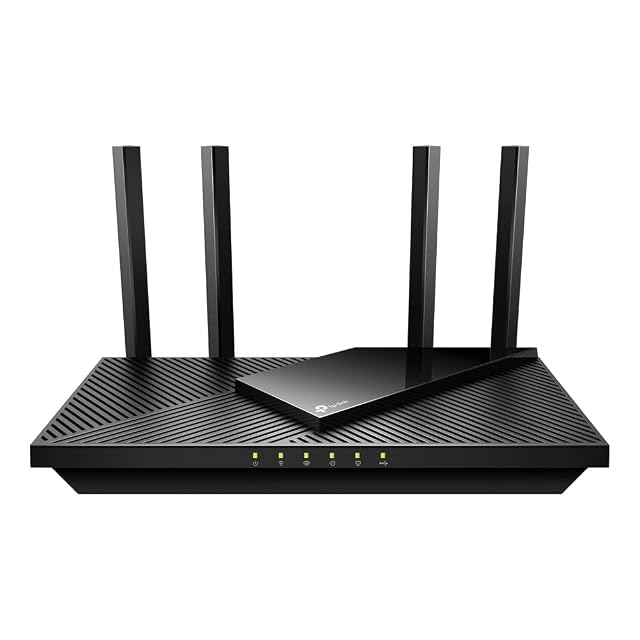
TP-Link Archer AX55 black flat router with four external antennas raised

TP-Link Archer AX55, dual-band Wi-Fi 6 router with a USB 3.0 socket

Wins 5 of 10

Check price

≈ £87 / 65 €

Line by line

Compared on FRITZ!Box 7530 AX, Wi-Fi 6 DSL router with telephony Archer AX55, dual-band Wi-Fi 6 router with a USB 3.0 socket
Wi-Fi generation Wi-Fi 6, written WLAN AX in the first bullet Wi-Fi 6, in the title and in a bullet
IEEE designation Not published — no 802.11 letter pair among the five bullets Not published — no 802.11 letter pair among the eight bullets
Stated class figure Up to 2.4 Gbit/s, which is exactly 1800 at 5 GHz plus 600 at 2.4 GHz, used at the same time Not published as a badge — the parts are printed instead, 2402 and 574 Mbit/s, with nothing summing them
Band count Two, rated and stated as simultaneous: 1800 and 600 Mbit/s Two, rated: 2402 and 574 Mbit/s
Stream count Not published for either radio Not published — OFDMA and MU-MIMO are named with a claim of four times the capacity
WAN port speed Not published as an Ethernet figure — the incoming line is DSL, with VDSL supervectoring 35b at up to 300 Mbit/s Not published — the title counts four LAN sockets and does not describe the incoming one
LAN port speed Not published — a 1.5 m network cable is in the box and no socket is counted or rated Gigabit, for all four LAN sockets
Port count Not published — none of the five bullets counts a socket Four Gigabit LAN and one USB 3.0; the incoming line is not counted among them
USB ports Not published as a count — a media server over USB is stated, so a socket exists, and neither its number nor its generation is given One, USB 3.0
Antenna arrangement Not published — no antenna is counted or described Four external antennas with beamforming; no gain figure, and coverage described as suiting a flat of two or three rooms

A tick means one listing published something the other did not, or published a better figure. It does not mean the product is better, and the column is not a score out of anything: a maker who says less loses lines here without losing a comparison. The two verdicts below are where the page is settled.

Which one, for whom

Buy the FRITZ! FRITZ!Box 7530 AX, Wi-Fi 6 DSL router with telephony

The 7530 AX wins the row that decides most purchases before any other: it is the one with the modem. On a DSL line it replaces the provider box outright, and it carries the telephony with it — VoIP and DECT — which no other router here does. Its listing counts not a single Ethernet socket, which is a strange silence on a router that plainly has some, and its 2.4 Gbit/s is worth reading for what it is: 1800 plus 600, the two radios added together.

Buy the TP-Link Archer AX55, dual-band Wi-Fi 6 router with a USB 3.0 socket

The Archer AX55 is the better documented router and the one that needs something in front of it. Four Gigabit sockets, a USB 3.0 port, four external antennas — all counted, which is more than most of this shelf manages. On a cable or fibre connection with a provider modem already in place, that is the right shape. On a DSL line with no modem, it is the wrong half of the job.

The questions that come up before an order

Why is 2.4 Gbit/s not a speed you will see?

Because it is a sum. The listing publishes 1800 Mbit/s at 5 GHz and 600 Mbit/s at 2.4 GHz, and 2.4 Gbit/s is those two added together — the total of two radios operating at once, not a rate any one device reaches. Every figure of this kind on this site is read the same way, and the Archer AX55 page is unusual for printing the parts without the sum.

Can the Archer AX55 replace a DSL provider box?

No. Its own bullets state that it has no modem, so it needs one in front of it. The FRITZ!Box 7530 AX has the modem built in and states its DSL profile. That is the first question to settle, and the rest of this table only matters afterwards.

The full reviews

Every price named in a summary was read on the date that review carries. What a shop asks today is shown beside the product, and it moves.