Everything here hangs on whether your exact printer is on the published list · review
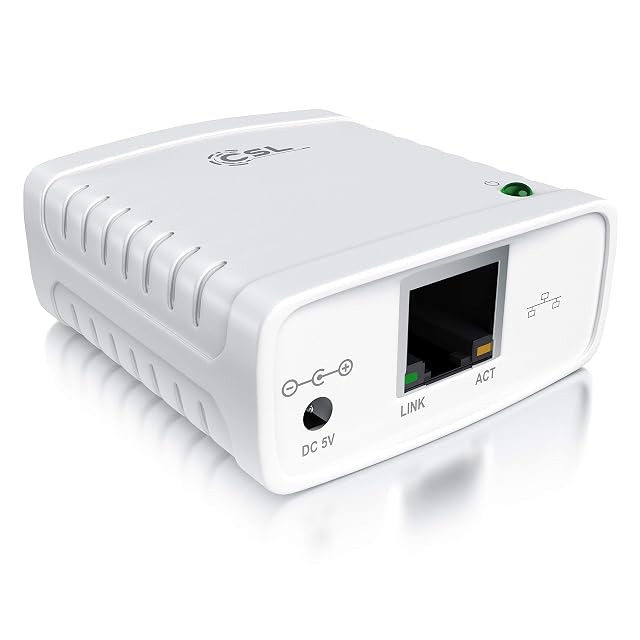
SatcOp wireless print server with a Type-C power socket and a network cable interface review
A wireless print server whose compatibility is given as a percentage, whose largest figure is measured in gigabytes, and half of whose bullet slots contain nothing at all.
It is a European model with no Amazon.com offer on October 26, 2026. It is sold on the European Amazon stores, often with a European plug or power adapter, and a US buyer would be relying on an importer.
Models on this shelf that Amazon.com did sell on that date:
A wireless print server at 100 to 240 V and 5 V, compact, with several interfaces, plug and play over USB for a PC for XP, on an EU plug; a simple and compact design named for saving space and being easy to carry; a print sharing server said to support the printing of images as well as text; an adapter carrying a Type-C power socket, a USB socket for the printer and a network cable interface; a line saying that the adapter can be shared by several users with the wireless network printing function, with maximum support of 256 GB; and a closing line giving compatibility with more than 95 per cent of USB printer brands on the market and support for 3.4, XP or higher, which stops mid-sentence.
Ninety-five per cent is not a list
More than 95 per cent of the USB printer brands on the market. That is the entire statement of compatibility on this page. It names no maker and no model, and there is nothing in it a buyer can look a printer up in. This hub reads the list first on this family precisely because the list is what settles an individual case, and here there is no list to read.
The figure in gigabytes
256 GB, in a bullet about several users sharing a printer. The bullet does not say what it measures; the specification block at the foot of the description does — a memory card of up to 256 GB, not included — and says nothing about what the card is for.
The bullets that end empty
Ten bullet slots, five of them containing text and five containing nothing. The fifth stops in the middle of a sentence, on the word for, in the same line that claims compatibility with most of a market. A listing that runs out halfway through its own compatibility statement is a listing to ask questions of.
Before ordering
Ask for a plain answer on three points: the make and model of your printer, whether the network side is wired, wireless or both, and which protocol the machines on the network will use to find it. None of the three is answered here.
Where it holds up, and where it stops
Strengths
Wireless is offered at all, which is the one thing a print server can do that a network socket beside the printer cannot
The three connections are listed together in one bullet — printer, power and network — so what has to reach the unit is clear
Power comes over a Type-C socket, which is the connector most likely to be in a drawer already
Compromises
Compatibility is given as a percentage of brands, which is the furthest thing from the published list this family is judged on
Half of the bullet slots on the listing are empty, and the last populated one stops in the middle of a sentence
The 256 GB figure is explained only in the specification block at the foot of the description — a memory card of up to 256 GB, not included — and never in the bullet that prints it
Specifications
Printer connection type
USB — stated in the third bullet, which names a USB socket for the printer alongside a Type-C socket for power and a network cable interface
Network port type
A network cable interface — named in the third bullet and described no further. No connector type, no RJ45 and no designation appears in the title or in any bullet
Network port speed
Not published on the listing — no figure in Mbit/s, no designation and no auto-sensing claim appears anywhere on the page
Wireless support
Named without a specification — the title calls the unit a wireless print server and the fourth bullet names a wireless network printing function. No standard, no band, no rate and no security scheme is published
Protocols published
Not published on the listing — not one printing or network protocol is named in the title or in any of the bullets, which leaves how a machine finds the unit entirely unstated
Number of printers served
Not published on the listing as a count — the fourth bullet says the adapter can be shared by several users, which counts people rather than printers, and no figure for printers appears
Scanner support
Not published on the listing — the second bullet says the unit prints images as well as text, and scanning is not named in either direction anywhere on the page
Stated operating system support
Published incompletely — the fifth bullet gives support for 3.4, XP or higher and then stops mid-sentence on the word for. The title names a PC for XP. Both are recorded here as printed, and nothing is completed on behalf of the seller
Published printer compatibility list
Not published on the listing — the fifth bullet claims compatibility with more than 95 per cent of USB printer brands on the market and names no maker, no range and no model. A percentage is a claim about a market, not a list a buyer can look a printer up in
Amazon reference
B0CP1BDY7G
EAN
7347709396052
On Amazon.com
It is a European model with no Amazon.com offer on October 26, 2026.
The questions that come up before an order
What is the 256 GB figure attached to?
A memory card. The fourth bullet prints the figure beside a sentence about several users sharing the unit; the specification block at the end of the description explains it as a memory card of up to 256 GB, not supplied. What the card is used for on a print server is not said.
How much does more than 95 per cent of brands actually promise?
It promises a proportion of a market nobody has defined, which cannot be checked against one printer on one desk. The whole reason this hub reads the compatibility list first is that a list resolves the individual case. A percentage leaves it exactly where it was, and it is the only statement of compatibility this page makes.
Our score
7.8/ 10
One of three wireless units on this shelf, and the least described product in this group by a wide margin. What it does is guessable; what it works with, how fast, and over which protocols are not on the page at all.
The buyer this one serves, among network and storage gear
A buyer who needs a printer somewhere no cable reaches and is prepared to establish everything about compatibility with the seller before ordering.
What this one costs among network and storage gear
A reference exists on these Amazon stores: France, Germany, Italy, Spain, United Kingdom. Listed is not the same as in stock — availability changes daily.
Details checked on October 26, 2026.
Sources
Specifications: the manufacturer sheet for network and storage gear and the matching Amazon product page. Prices and availability: Keepa. Every figure on this page names its source.
USB 2.0 to the printer · RJ45 to the network · Fast Ethernet, unrated · web management · protocol list printed with HDCP in it · no model list
A wired print server with a web page for setup, whose protocol list includes a video acronym and whose compatibility is described in words rather than published as a list.
Best for: A small office with an ordinary USB printer and Windows machines, where the printer should stand where it is convenient rather than beside one desk.
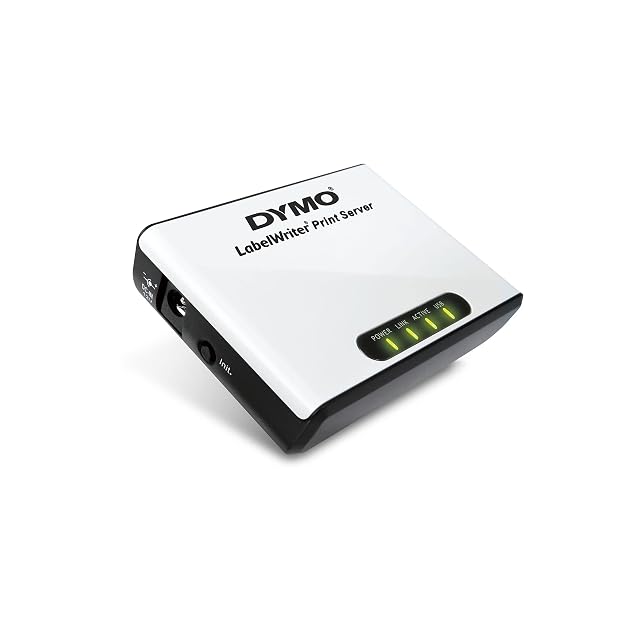
USB to the printer · Ethernet to the network, unrated · one printer · software in five languages · limited to LabelWriter 450-series machines · no protocols published
A print server sold for one range of label printers, which makes it the only unit here whose compatibility is bounded in writing rather than described.
Best for: An office already running a LabelWriter of the 450 series on one desk, where everyone else needs to print to it without moving the printer.
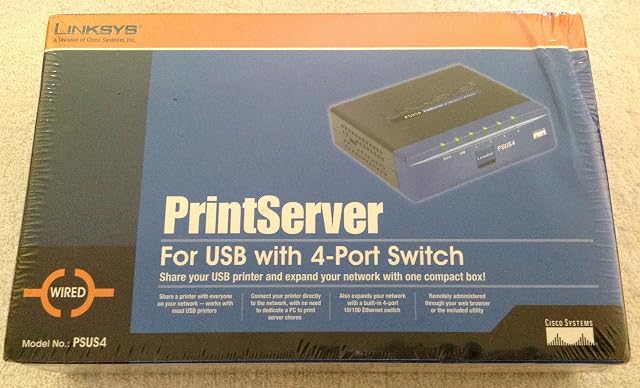
USB to the printer · four-port 10/100 switch built in · auto-negotiating with MDI/MDI-X · one printer · no protocols published · browser or supplied utility
The only print server on this shelf with a network switch inside it — four 10/100 ports, auto-negotiating — on a listing that names no printing protocol and no compatibility list.
Best for: A room with one network socket, a USB printer and two or three other things that need wiring, where the switch is half the reason to buy it.