Skip to content

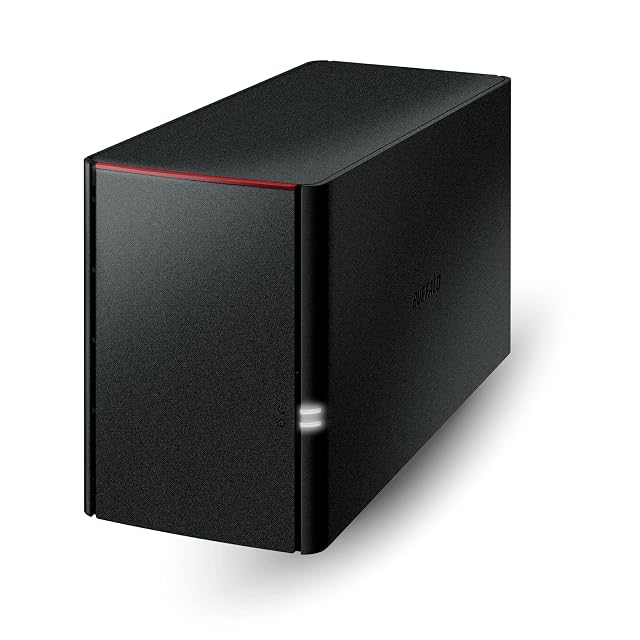
BUFFALO LinkStation 720, 4 TB review

The two-bay LS 700, with current macOS support and named cloud services, and the most expensive usable terabyte on this shelf: two terabytes protected for $408.99, where the one-bay unit beside it gives eight for less.

This page and the one-bay LinkStation 710 on this shelf are the same ten bullets with two lines changed, and the two lines happen to be the important ones.

The seventh reads here: “4 TB Total Capacity — 2 Drive Bays ships with RAID 1 (Automatic Backup) = 2 TB usable capacity. Set to RAID 0 to use the full 4 TB.” The 710 has one bay, eight terabytes and no array. So for $408.99 on October 26, 2026 this unit delivers two usable terabytes, at $204.50 each, while the 710 delivers eight at $47.87 each for $382.99 — twenty-six dollars less. That is the price of the mirror stated as plainly as any listing on this shelf allows it to be: more than four times the money per terabyte, for a machine that keeps running when a drive dies.

Both figures are honest and the comparison is the point. A mirror is worth paying for when the thing stored is being worked on and downtime matters. It is not worth paying for as a substitute for a copy elsewhere, and the bullet’s words invite exactly that mistake: RAID 1 is called an “Automatic Backup”, and it is not one. The mirror copies a mistaken deletion as faithfully as it copies the file, and both copies live in this box.

What the LS 700 range brings over the LS 200 is on this page as it is on the 710. The first and second bullets state macOS 26 compatibility, where the LinkStation 210 and 220 pages on this shelf cap themselves at macOS 15 and send their readers to this range. The ninth names the cloud services — Dropbox, Azure and OneDrive — that the older pages only gesture at. The up-to-seven-times-faster claim carries no figure on either page.

The first bullet does not claim RAID, which on a two-bay machine it could have done truthfully; the LS 200 pages claim it on one bay where they could not. The newer copy opens on features and cloud instead, and leaves the array to the bullet that can state it exactly.

The template completes as usual: closed system, SSL on transfers, folder-level access, NAS Navigator and PC backup software with no macOS caveat, “Made in Japan”, 24-hour United States support, two years of warranty including the drives. No processor, no memory, no socket count, no port speed, no drive size, no decibel value, no figure in watts.

The product record carries 206 by 91 by 127 mm (5 in) — the same measurements as the one-bay 710, which cannot both be right for a one-bay and a two-bay chassis — and no weight at all.

Prices quoted in this text were read on October 26, 2026. The live price is at the top of the page.
Where it holds up, and where it stops

Strengths

  • Current macOS support and three named cloud services, which the LinkStation 210 and 220 pages on this shelf send their buyers here to get
  • Publishes the array it ships in and the 2 TB usable that array leaves, in one sentence
  • Makes no RAID claim in the first bullet even though two bays would justify one, leaving the array to the bullet that states it exactly
  • Arrives with both drives fitted and a two-year warranty that covers them
  • NAS Navigator comes without the "for macOS 15 and earlier" caveat the older pages attach

Compromises

  • $204.50 per usable terabyte, the most expensive storage on this shelf, with the one-bay LS710 giving eight terabytes for twenty-six dollars less
  • The seventh bullet calls RAID 1 an automatic backup, which a mirror in one box is not
  • No processor, no memory, no socket count and no port speed, on the range sold as seven times faster
  • The product record gives this two-bay chassis the same measurements as the one-bay LS710 and no weight at all
  • Four terabytes of drives is the least raw capacity of any LinkStation on this shelf

Specifications

Bay countTwo — stated in the title as 2-Bay and in the seventh bullet as two drive bays holding 4 TB in total, with the drives included
Drive interfaceNot published on the listing as a size or a bus — the seventh bullet gives 4 TB across two bays with the drives supplied, and no inch figure and no bus appears anywhere
Solid-state slot countNot published on the listing — no M.2 slot and no cache slot is named in the title or in any of the ten bullets
ProcessorNot published on the listing — no chip, no core count and no clock speed appears, on a page claiming up to seven times the performance of an earlier range
MemoryNot published on the listing — no memory figure of any kind appears in the title or the ten bullets
Ethernet port countNot published on the listing as a figure — the second bullet says to connect the unit to a router and counts no socket
Port speedNot published on the listing — no figure in gigabits or megabytes per second appears, which leaves the seven-times-faster claim unmeasurable
USB portsNot published on the listing — no USB socket is named or counted, and no copy-from-USB function is described
Supported redundancy levelsRAID 1 as shipped, with 2 TB usable out of 4 TB of drives, and RAID 0 available for the full 4 — stated in the seventh bullet, which calls RAID 1 an automatic backup. A mirror keeps the machine running through a failed drive, mirrors a mistaken deletion as well, and holds both copies in this box, so it is not a copy of the data on separate hardware
Published operating systemNot named, and described as closed — the fourth bullet states that the LS700 uses a closed system to reduce exposure from third-party applications, with SSL on transfers. The fifth names NAS Navigator and PC backup software, with no macOS version caveat
Stated idle powerNot published on the listing — no figure in watts appears on the page
Stated acoustic figureNot published on the listing — no decibel value and no claim about noise appears
Stated dimensionsNot published in the bullets — the product record carries 206 by 91 by 127 mm (5 in), the same measurements it gives the one-bay LinkStation 710, and no weight at all
Amazon referenceB091DWPH4T
EAN0747464134604
On Amazon.comAmazon.com had an offer at $409 on October 26, 2026.

The questions that come up before an order

How much of the 4 TB can be used?

Two. The seventh bullet states that the unit ships with RAID 1, giving 2 TB usable, and that setting RAID 0 releases the full 4 TB without protection.

Why is the one-bay LS710 cheaper and larger?

It holds a single 8 TB drive with no mirror, so all eight terabytes are usable, for $382.99. This one mirrors two 2 TB-worth halves of a 4 TB pair and costs $408.99. The mirror is what the difference buys.

Does it support current macOS?

Yes. The first and second bullets both state macOS 26 compatibility, which is the reason the LS 200 pages on this shelf refer their readers to this range.

Against the rest of the network and storage gear

This network and storage gear share the category and the price bracket. Only what each one states is shown; an incomplete column would mislead.

Model Price Bay countDrive interfaceSolid-state slot countProcessor
BUFFALO LinkStation 720, 4 TB $409 Two — stated in the title as 2-Bay and in the seventh bullet as two drive bays holding 4 TB in total, with the drives includedNot published on the listing as a size or a bus — the seventh bullet gives 4 TB across two bays with the drives supplied, and no inch figure and no bus appears anywhereNot published on the listing — no M.2 slot and no cache slot is named in the title or in any of the ten bulletsNot published on the listing — no chip, no core count and no clock speed appears, on a page claiming up to seven times the performance of an earlier range
Synology DS225+, two-bay enclosure with one 2.5GbE and one 1GbE socket $421 Two — stated in the title, and the second bullet places the model in the two-bay Plus series as the replacement for the DS224+Not published on the listing as a size or a bus — the first bullet states that the unit requires compatible drives and directs the reader to the maker’s own compatibility list, which is where the answer is kept rather than hereNot published on the listing — no M.2 slot and no cache slot is named, and the only expansion the page describes is a memory moduleIntel Celeron J4125, quad-core — named in the second bullet; no clock speed is printed
BUFFALO LinkStation 710, 8 TB $383 One — stated in the title as 1-Bay and in the seventh bullet as one drive bay with the drive included. Unlike the one-bay LinkStation 210 pages on this shelf, the first bullet makes no RAID claimNot published on the listing as a size or a bus — the seventh bullet states 8 TB of total capacity with the drive included, and no inch figure and no bus appears anywhereNot published on the listing — no M.2 slot and no cache slot is named in the title or in any of the ten bulletsNot published on the listing — no chip, no core count and no clock speed appears, on a page whose first bullet claims up to seven times the performance of an earlier range
BUFFALO LinkStation 220, 8 TB $363 Two — stated in the title as 2-Bay and in the seventh bullet as two drive bays holding 8 TB in total, with the drives includedNot published on the listing as a size or a bus — the seventh bullet gives 8 TB across two bays with the drives supplied, and no inch figure and no bus appears anywhereNot published on the listing — no M.2 slot and no cache slot is named in the title or in any of the ten bulletsNot published on the listing — no chip, no core count and no clock speed appears anywhere on the page

What separates the models, in network and storage gear

  • If price decides: BUFFALO LinkStation 220, 8 TB, at $363.

The buyer this one serves, among network and storage gear

Two terabytes that have to survive a drive failure on a current Mac, where the small capacity is the point and the price per terabyte is accepted.

What this one costs among network and storage gear

Details checked on October 26, 2026.

Sources

Specifications: the manufacturer sheet for network and storage gear and the matching Amazon product page. Prices and availability: Keepa. Every figure on this page names its source.

What we look at on this network and storage gear