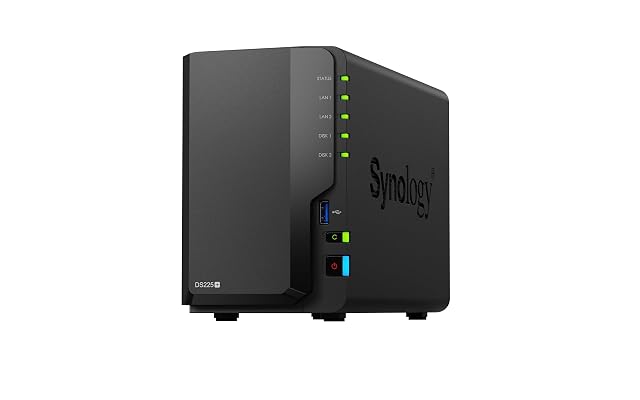
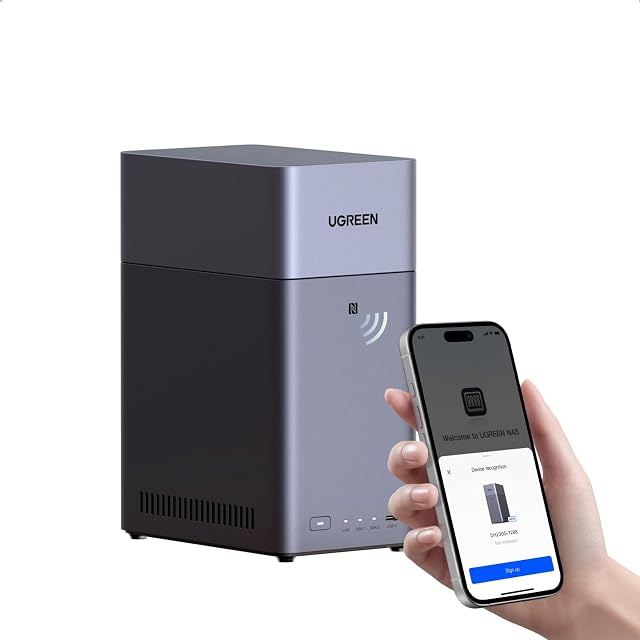
Synology DS225+, two-bay enclosure whose two sockets are given two different speeds vs UGREEN NASync DH2300, two-bay enclosure sold on what it replaces
On a network storage box, what happens when the page never counts a network socket?
Both take two drives and neither ships with any. The Synology DS225+ names an Intel Celeron J4125 at four cores and 2.0 GHz, 2 GB of DDR4 upgradable to 6 GB, and the memory module by its part number — then gives its two network sockets two different speeds on the same page. The UGREEN NASync DH2300 names no processor, no memory and no network socket; the only socket on its page is an HDMI output.
Synology DS225+, two-bay enclosure whose two sockets are given two different speeds
DS225+, two-bay enclosure whose two sockets are given two different speeds
NASync DH2300, two-bay enclosure sold on what it replaces
Bay count
Two, placed in the two-bay Plus series
Two
Drive interface
Not published as a size or a bus — compatible drives are required and the reader is sent to the maker’s compatibility list
Not published — the unit ships without a drive and no size, bus or per-bay ceiling appears
Solid-state slot count
Not published — no M.2 slot and no cache slot; the only expansion described is a memory module
Not published — the only storage figure on the page belongs to a cloud tariff rather than to the enclosure
Processor
Intel Celeron J4125, four cores at 2.0 GHz
Not published — no chip, no core count, no clock speed, on a page describing photographs sorted by face, scene and place
Memory
2 GB non-ECC DDR4 SODIMM as supplied, upgradable to 6 GB as 2 GB plus 4 GB, with the module named by its part number
Not published — no memory figure anywhere
Ethernet port count
Two
Not published — an HDMI socket for a television is named, and no network socket is counted on a network storage product
Port speed
Published twice and not identically — the title makes both sockets 1GbE, a bullet gives one at 2.5 GbE and one at 1 GbE, with nothing resolving them
Not published — with no network socket counted, none is given a rate
USB ports
Not published — no USB socket is counted
Not published — the only socket named is the HDMI output
Supported redundancy levels
Not published — no array arrangement is named
Not published — access from Windows, macOS, Android, iOS, browsers and smart televisions is described instead
Published operating system
Not published by name — Diskstation in the title is the name of the range rather than of the software
Not published by name — an app and NFC pairing are named, and the software they belong to is never called anything
Stated idle power
Not published — no figure in watts, on a page that details a memory module to its part number
Not published — running cost is discussed only as a subscription no longer paid
Stated acoustic figure
Not published
Not published
Stated dimensions
Not published
Not published
A tick means one listing published something the other did not, or published
a better figure. It does not mean the product is better, and the column is not
a score out of anything: a maker who says less loses lines here without losing
a comparison. The two verdicts below are where the page is settled.
Which one, for whom
Buy the Synology DS225+, two-bay enclosure whose two sockets are given two different speeds
The DS225+ is the enclosure whose page describes hardware. A named processor, a named memory type with a stated ceiling and a part number for the upgrade module, and two network sockets counted. Two cautions: the drive question is deferred entirely to the maker’s compatibility list, so the page itself will not tell you whether the drives you own will work; and the two sockets are given 1GbE in the title and 2.5 GbE plus 1 GbE in a bullet, which the listing never resolves.
Buy the UGREEN NASync DH2300, two-bay enclosure sold on what it replaces
The DH2300 is sold on what it replaces rather than on what it is. Its page names an app, an NFC module, an HDMI output and a subscription you stop paying, and it names no processor, no memory and no network socket. On a device whose entire purpose is to be reached over a network, a listing that never counts a network socket has left out the part. Buy it on the strength of something other than this page.
The questions that come up before an order
How fast are the Synology’s sockets?
The listing gives two answers. Its title makes both RJ-45 sockets 1GbE; one of its bullets gives one at 2.5 GbE and the other at 1 GbE. Both are printed here because both are published, and nothing on the page decides between them. If the 2.5-gigabit socket is the reason for the purchase, confirm it before ordering.
Neither names an array scheme. Does that mean no redundancy?
It means the listing does not say. Two-bay enclosures normally offer a mirrored arrangement, but neither page names one, so neither can be checked. Worth remembering either way: an array that carries on through a drive failure is not a backup. It protects against a drive dying, not against a deletion, a fire or a theft.
two bays · Intel Celeron J4125, four cores at 2.0 GHz · 2 GB DDR4 to 6 GB · two RJ-45 sockets · port speed published two ways · compatibility list required
A two-bay enclosure that publishes its processor, its memory ceiling and the exact module that raises it, and whose title and fifth bullet disagree about how fast its two network sockets are.
Best for: A household or small office replacing an older two-bay unit, where the applications matter more than the price and where a compatibility list is not an obstacle.
two bays · sold without drives · NFC pairing named · HDMI output with 4K · no processor, no memory, no Ethernet socket published
A two-bay enclosure whose page publishes a bay count, a television output and an arithmetic of cloud subscription savings, and not one figure about the machine itself.
Best for: A household that wants its photographs off a subscription and onto its own hardware, and that is willing to ask the seller for the specification the page leaves out.