Resolution and refresh rate are one figure, and the switching method is the other · review
UGREEN AK700, two-computer DisplayPort switch driving two screens review
A two-computer switch that carries two DisplayPort screens for each machine, states plainly that it has no HDMI socket, and names the machines it will not drive in pairs.
Two desktop computers sharing two DisplayPort screens and four USB devices, with a copying or an extending arrangement to choose between, HDCP 2.3 supported and able to fall back to HDCP 1.4 depending on the screen, and a stated note that this switch has no HDMI socket; a DisplayPort 1.4 path quoted at up to 8K at 60 Hz, backwards compatible with 8K at 30 Hz, 4K, 1080p, 720p and 480p, with HDR10 and HDR10+ supported; four USB 3.0 sockets, three type A and one type C, at up to 5 Gbps and backwards compatible, with the peripherals following the machine automatically when it is changed; two switching methods, a button on the unit and a desk controller, with operating systems named; and a box containing two USB-A leads, a desk control and a 12 V 2 A adapter with interchangeable plugs.
The note that saves a wrong order
No HDMI socket. It is in the first bullet, in its own note, on a product whose shelf is full of HDMI switches. Anyone whose screens are HDMI will read it and buy something else, which is the entire purpose of putting it there.
Two screens per machine
This is the specification that separates the unit from the four-computer boxes beside it. It accepts fewer machines and gives each of them a pair of screens, in a copying or an extending arrangement, with the peripherals moving across as the machine changes.
The limit that is not the switch
The fourth bullet names laptop processors that will not drive two displays at all, adding that a docking station does not raise the number either. That limit sits in the computer. A switch cannot add an output a machine does not have, and the page says so rather than leaving it to be discovered.
What is in the box, and what is left out
Two USB-A leads, a desk control and an adapter with plugs for several countries. No DisplayPort lead, which is the one that carries the picture.
Before ordering
Count the DisplayPort leads already on the desk. Two screens and two machines can want as many as four, and none of them arrives in this box.
Where it holds up, and where it stops
Strengths
Two screens for each machine, with a choice between copying and extending, which is the arrangement a desk with two monitors actually needs
Says outright in the first bullet that there is no HDMI socket, which is the return this listing prevents
Names the machines it will not drive in pairs — the fourth bullet states that certain laptop processors will not support two displays, whatever is plugged in
Compromises
Two computers only, so a third machine has no home on this unit
No DisplayPort lead is listed among the contents, so the leads that carry the picture have to be found separately
No audio connection of any kind is named
Specifications
Port count
Two — stated in the title and in the first bullet as two desktop computers
Maximum resolution
8K — stated in the title and in the second bullet as up to 8K at 60 Hz, backwards compatible with 8K at 30 Hz, 4K, 1080p, 720p and 480p. It is the ceiling of the switch alone; the computers and the screens each impose their own
Refresh rate
60 Hz at 8K, with 8K at 30 Hz also named — stated in the second bullet as pairs, which is the form in which the two figures can be read together
Video connector type
DisplayPort 1.4 — stated in the second bullet; the first bullet states in as many words that this switch has no HDMI socket
Screens per computer
Two — stated in the first bullet, where two DisplayPort screens are shared by the two machines, in either a copying or an extending arrangement
USB port count
Four — stated in the third bullet as three USB-A sockets and one USB-C
USB generation
USB 3.0, quoted at up to 5 Gbps and backwards compatible with USB 2.0 and 1.1 — stated in the third bullet, which adds that the connected peripherals follow the machine when it is changed
Switching method
Two — a button on the unit and a desk controller, stated in the fourth bullet as a single press to change machine
Audio support
Not published on the listing — no audio socket and no channel arrangement is named; the second bullet describes HDR10 and HDR10+ and the first names HDCP 2.3 for the video path instead
Cables supplied
Two USB-A leads, one desk control and a 12 V 2 A power adapter with interchangeable plugs — stated in the fifth bullet. No DisplayPort lead is named among the contents
Amazon reference
B0DXF5Z23S
EAN
6941876258512
On Amazon.com
Amazon.com had an offer at $90 on October 26, 2026.
Where this unit differs
Put against the median of its own group on this site — not against every network product sold.
Maximum resolution8K — stated in the title and in the second bullet as up to 8K at 60 Hz, backwards compatible with 8K at 30 Hz, 4K, 1080p, 720p and 480p. It is the ceiling of the switch alone; the computers and the screens each impose their own+100 % against the median of this group
Video connector typeDisplayPort 1.4 — stated in the second bullet; the first bullet states in as many words that this switch has no HDMI socket-33 % against the median of this group
The questions that come up before an order
What is the difference between the copying and the extending arrangement?
Copying puts the same picture on both screens. Extending treats them as one wider workspace, with different windows on each. This listing names both and lets the choice be made at the switch, which is what makes a two-screen desk worth the extra sockets.
Why does the listing warn about certain laptop processors?
Because the number of separate displays a machine can drive is fixed in its own hardware, and no switch or dock raises it. The fourth bullet says so plainly for the processors it names. It is a limit of the computer rather than of the switch, and stating it is the honest thing for a two-screen product to do.
Our score
7.8/ 10
A carefully written page for a narrow job: two machines, two DisplayPort screens, peripherals that follow. The two warnings it prints, about HDMI and about certain laptops, are worth more than most of the specifications on this shelf.
Against the rest of the network and storage gear
This network and storage gear share the category and the price bracket. Only what each one states is shown; an incomplete column would mislead.
Model
Price
Port count
Maximum resolution
Refresh rate
Video connector type
UGREEN AK700, two-computer DisplayPort switch driving two screens
$90
Two — stated in the title and in the first bullet as two desktop computers
8K — stated in the title and in the second bullet as up to 8K at 60 Hz, backwards compatible with 8K at 30 Hz, 4K, 1080p, 720p and 480p. It is the ceiling of the switch alone; the computers and the screens each impose their own
60 Hz at 8K, with 8K at 30 Hz also named — stated in the second bullet as pairs, which is the form in which the two figures can be read together
DisplayPort 1.4 — stated in the second bullet; the first bullet states in as many words that this switch has no HDMI socket
Three — stated in the title and in the first bullet as three computers sharing two DisplayPort monitors and four USB 3.0 devices. It is the only three-computer unit on this shelf
8K, given as 7680 by 4320 — stated in the title and in the second bullet at 30 Hz, with 3840 by 2160 at 144 Hz also named and lower resolutions supported. The same bullet states that the sources, the monitors and the DisplayPort leads must all support the figure to reach it
30 Hz at 8K and 144 Hz at 4K — stated in the second bullet as pairs, which is the form in which the two figures can be read together. The same maker’s HDMI 2.1 unit on this shelf publishes 60 Hz at 8K and the same 144 Hz at 4K
DisplayPort 1.4 — stated in the title and in the second bullet, with two DisplayPort inputs required from each machine and two DisplayPort outputs to the screens
Two — stated in the title and in the first bullet as two controlled computers, with remote switching between the two hosts
3840 by 2160 — stated in the ninth bullet together with its rate. It is the ceiling of the switch alone; the computers and the screen each impose their own
60 Hz at 3840 by 2160 — stated in the ninth bullet as a pair, which is the form in which the two figures can be read together. The same bullet quotes a delay of under 60 ms, which is the maker’s claim and not a measurement made here
HDMI — stated in the second bullet, which names HDMI, USB and DuPont leads between the unit and the two computers; the eighth adds a local monitor loop-out
Four — stated in the title and in the first bullet as four computers or laptops managed from one place
1920 by 1440 — stated in the second bullet, which adds that a very wide screen is also supported. It is the ceiling of the switch alone; the computers and the screen each impose their own
Not published on the listing — no figure in Hz appears in the title or in any of the five bullets, so the resolution stands without the second half of the pair
VGA — stated in the title and in the first bullet, with one screen at the output
What separates the models, in network and storage gear
If price decides: DGODRT KS204V, four-computer VGA switch with a wired desk controller, at $33.
The buyer this one serves, among network and storage gear
A two-machine desk with two DisplayPort screens, where the peripherals should follow whichever machine is in use and the picture never passes through an HDMI socket.
What this one costs among network and storage gear
A reference exists on these Amazon stores: France, Germany, Italy, Spain, United Kingdom, United States. Listed is not the same as in stock — availability changes daily.
Details checked on September 10, 2026.
What buyers actually choose
Amazon reports what buyers took in the month before this page was last checked: at least 200.
The figure is a floor, rounded by Amazon, and read through Keepa — it says what buyers picked, not what a maker claims.
Sources
Specifications: the manufacturer sheet for network and storage gear and the matching Amazon product page. Prices and availability: Keepa. Every figure on this page names its source.
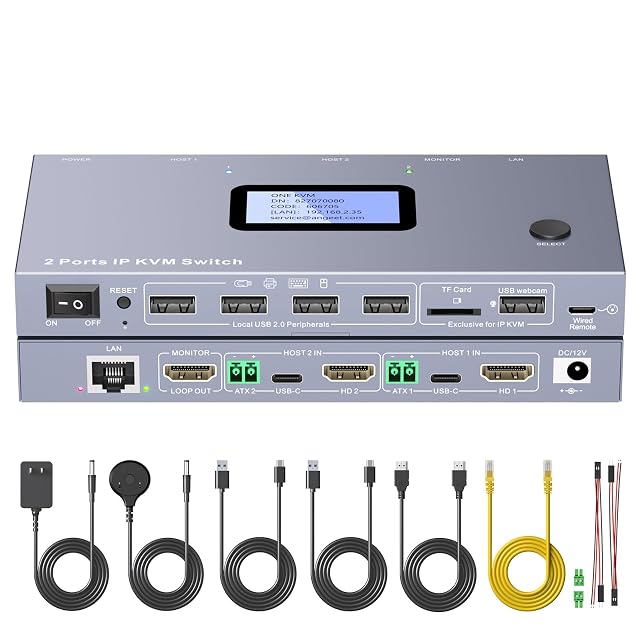
two computers · one screen · 3840 by 2160 at 60 Hz · HDMI · button, wired remote, web or app · every lead in the box
A two-computer switch whose packing list is the only complete one on this shelf, down to the HDMI lead and the jumper wires for remote power, and whose web access and app are given two different reaches in one bullet.
Best for: A pair of desktop machines that have to be reached, switched and powered on from somewhere else, with nothing left to buy.
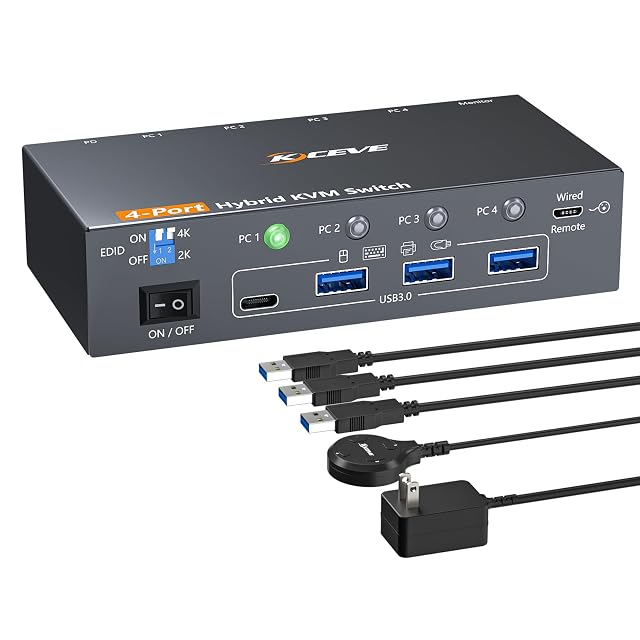
four computers · one screen · 4K at 60 Hz and 2K at 100 Hz · one DisplayPort, one USB-C and two HDMI inputs · four USB 3.0 at 5 Gbps · button or wired remote
A four-computer switch whose inputs are of three different kinds, quoting its resolutions and refresh rates as pairs and never listing what is in the box.
Best for: A desk where the four machines do not share a video socket between them, and where a drive has to follow whichever one is in use.
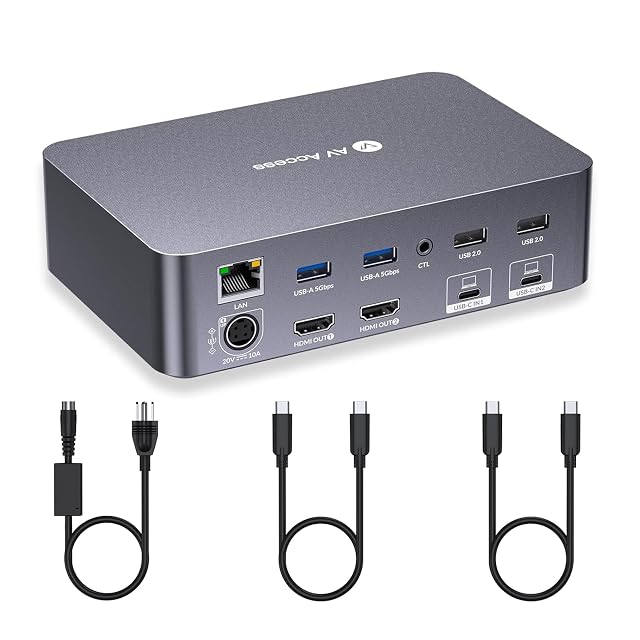
two laptops · two HDMI screens each · 4K over USB-C · seven USB sockets · Ethernet, SD and headset · 60 W charging each
A docking station that switches as well, carrying two screens, Ethernet, an SD slot, a headset jack and 60 W of charging for each laptop, and publishing no refresh rate at all.
Best for: A desk where a work laptop and a personal one share two screens, the network, the card reader and a charger as well as the keyboard.