Resolution and refresh rate are one figure, and the switching method is the other · review
GL.iNet Comet X GL-RM4PE review
A four-computer switch driven from a touchscreen or a browser as well as a button, powered over its network lead, whose only video figure belongs to the local loop-out rather than to the four inputs.
Four host systems reach this unit through four HDMI inputs and four dedicated USB Type-C device ports, one pair for each machine, stated in the second bullet. That much is ordinary for this shelf. What is not ordinary is everything around it.
The power comes down the network lead. The first bullet states Power over Ethernet with a 5 V Type-C input as a backup, which makes this the only unit on this shelf powered down its network lead and the only one that names a redundant second supply. Three other listings here state that no external supply is needed at all, because they draw what they need from the computers, and seven name a mains adapter of their own. None of the thirteen is fed by the network.
The switching is done three ways, and two of them are new to this shelf. The second bullet names the front-panel button, which twelve of the thirteen listings here also have; it then names a touchscreen, and the seventh bullet names a browser interface reached over HTTPS with no client software to install. The fourth bullet gives the screen as a 3.69-inch TFT panel on the front, used to set the ports, the switching and the network without a computer in the loop at all.
The video figure wants reading carefully. The third bullet quotes up to 4K@30FPS, and it quotes it for the HDMI loop-out — the socket a local monitor plugs into so the desk can work while the browser session also runs. No resolution and no rate is published anywhere on the page for the four inputs themselves. The figure is also written in frames per second rather than in hertz, which is the only place on this shelf where the rate is given in that unit.
Sixty-four gigabytes of eMMC storage sit inside, stated in the fifth bullet with a transfer rate of up to 25 MB/s and a worked example: a 6 GB operating-system image uploads in roughly five minutes. That is the only transfer rate quoted anywhere on this page, and it belongs to the onboard storage rather than to the USB path.
The chassis is 170 by 90 by 40 mm (1.57 in) at 560 g (19.8 oz), and the fourth and sixth bullets state that 10-inch and 19-inch rack brackets are in the box. They are the only contents the page names. No HDMI lead, no USB lead, no network lead and no Type-C supply is listed, which on a four-machine installation is a good many leads to find. At $279.99 this is the most expensive American listing on the shelf, and what the money buys is the touchscreen, the browser, the storage and the rack brackets rather than a higher video ceiling.
Prices quoted in this text were read on October 26, 2026. The live price is at the top of the page.
Where it holds up, and where it stops
Strengths
Powered over the network lead, with a 5 V Type-C input named as a redundant backup, so the rack loses one brick rather than gaining one
Three switching methods, two of which — a front touchscreen and a browser over HTTPS — no other listing on this shelf offers
Sixty-four gigabytes of onboard storage with a stated 25 MB/s and a worked example of how long a 6 GB image takes
Rack brackets for both 10-inch and 19-inch cabinets are in the box rather than sold separately
Compromises
The only video figure on the page, 4K at 30, belongs to the local loop-out; the four inputs are published with no resolution and no rate at all
The rate is written in frames per second rather than hertz, which is not the unit the rest of this shelf uses
No lead of any kind is named among the contents, on a unit that needs four HDMI and four USB-C leads plus a network lead before it does anything
The most expensive American listing on this shelf, and none of the money went into a published video ceiling
Specifications
Port count
Four — stated in the title and in the second bullet as up to four host systems, through four HDMI inputs and four dedicated USB Type-C device ports
Maximum resolution
4K on the loop-out — stated in the third bullet as up to 4K@30FPS for the HDMI loop-out that feeds a local monitor. No resolution is published anywhere on the page for the four inputs themselves
Refresh rate
30, written as FPS rather than Hz — stated in the third bullet as part of 4K@30FPS, and the only rate on this shelf given in frames per second. It describes the loop-out, not the inputs
Video connector type
HDMI — four HDMI inputs and one HDMI loop-out, stated in the second and third bullets, with a USB Type-C device port for each host carrying the keyboard and mouse side
Screens per computer
One — stated in the third bullet, where a single monitor on the loop-out serves the four machines alongside the remote session
USB port count
Four on the host side — stated in the second bullet as four dedicated USB Type-C device ports, one for each machine. The console side is not counted: the third bullet names a keyboard and a mouse over USB for local access without saying how many sockets they use
USB generation
Not published on the listing — no USB 2.0 or USB 3.x generation and no transfer rate is given for the USB path in the title or in any of the seven bullets. The only rate on the page, 25 MB/s, belongs to the onboard storage
Switching method
Three — the front-panel button, the 3.69-inch TFT touchscreen and the browser-based interface over HTTPS, stated in the second, fourth and seventh bullets. The touchscreen and the browser are both new to this shelf
Audio support
Not published on the listing — no audio socket, no channel count and no audio format is named in the title or in any of the seven bullets
Cables supplied
10-inch and 19-inch rack-mount brackets, stated in the fourth and sixth bullets, and nothing else. No HDMI, USB, network or Type-C lead is named among the contents
Amazon reference
B0H5QCG2P7
EAN
6971131385646
On Amazon.com
Amazon.com had an offer at $280 on October 26, 2026.
The questions that come up before an order
What does the 4K at 30 figure actually describe?
The HDMI loop-out, which is the socket a local monitor uses. The third bullet quotes up to 4K@30FPS for that output. Nothing on the page publishes a resolution or a rate for the four host inputs.
Does it need a power adapter?
The first bullet states Power over Ethernet through the network lead, with a 5 V Type-C input available as a backup. No separate adapter is named among the contents.
How is the machine changed?
Three ways, stated across the second, fourth and seventh bullets: the front-panel button, the 3.69-inch touchscreen, and a browser interface over HTTPS with no client software to install.
Against the rest of the network and storage gear
This network and storage gear share the category and the price bracket. Only what each one states is shown; an incomplete column would mislead.
Model
Price
Port count
Maximum resolution
Refresh rate
Video connector type
GL.iNet Comet X GL-RM4PE
$280
Four — stated in the title and in the second bullet as up to four host systems, through four HDMI inputs and four dedicated USB Type-C device ports
4K on the loop-out — stated in the third bullet as up to 4K@30FPS for the HDMI loop-out that feeds a local monitor. No resolution is published anywhere on the page for the four inputs themselves
30, written as FPS rather than Hz — stated in the third bullet as part of 4K@30FPS, and the only rate on this shelf given in frames per second. It describes the loop-out, not the inputs
HDMI — four HDMI inputs and one HDMI loop-out, stated in the second and third bullets, with a USB Type-C device port for each host carrying the keyboard and mouse side
Two — stated in the title and in the first bullet as two laptops controlled through one dual-monitor setup, keyboard, mouse and set of peripherals
4K UHD — stated in the third bullet for video arriving over the full-featured USB-C ports. The last bullet limits a 49-inch ultrawide screen to 3840 by 1080, and states that macOS machines mirror the two displays rather than extending them
Not published on the listing — no figure in hertz appears in the title or in any of the seven bullets, so the 4K figure stands without the second half of the pair
USB-C in, HDMI out — two full-featured USB-C ports at 20 Gbps carry video and data from the laptops, stated in the third bullet, and two HDMI outputs feed the screens, counted among the twelve connections in the second
Two — stated in the title and in the first bullet as two controlled computers, with remote switching between the two hosts
3840 by 2160 — stated in the ninth bullet together with its rate. It is the ceiling of the switch alone; the computers and the screen each impose their own
60 Hz at 3840 by 2160 — stated in the ninth bullet as a pair, which is the form in which the two figures can be read together. The same bullet quotes a delay of under 60 ms, which is the maker’s claim and not a measurement made here
HDMI — stated in the second bullet, which names HDMI, USB and DuPont leads between the unit and the two computers; the eighth adds a local monitor loop-out
Two — stated in the title and in the first bullet as two desktop computers
8K — stated in the title and in the second bullet as up to 8K at 60 Hz, backwards compatible with 8K at 30 Hz, 4K, 1080p, 720p and 480p. It is the ceiling of the switch alone; the computers and the screens each impose their own
60 Hz at 8K, with 8K at 30 Hz also named — stated in the second bullet as pairs, which is the form in which the two figures can be read together
DisplayPort 1.4 — stated in the second bullet; the first bullet states in as many words that this switch has no HDMI socket
What separates the models, in network and storage gear
If price decides: UGREEN AK700, two-computer DisplayPort switch driving two screens, at $90.
The buyer this one serves, among network and storage gear
A rack where the switch has to be reached from a browser and powered from the same cable that carries the network.
What this one costs among network and storage gear
Details checked on October 26, 2026.
Sources
Specifications: the manufacturer sheet for network and storage gear and the matching Amazon product page. Prices and availability: Keepa. Every figure on this page names its source.
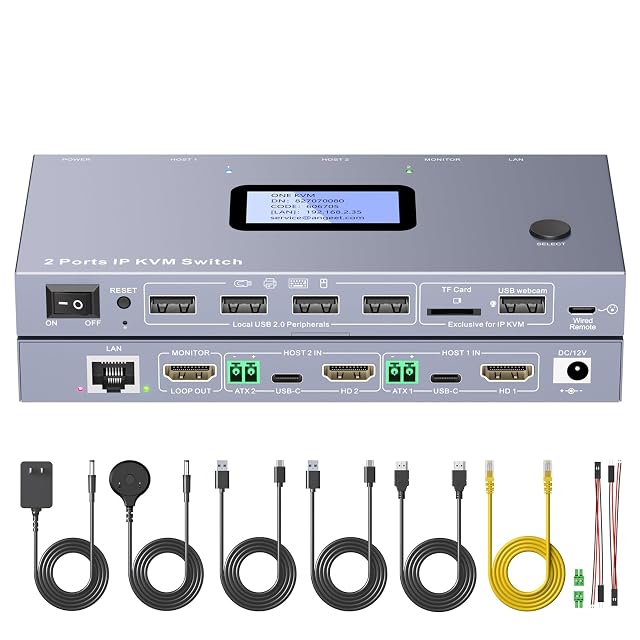
two computers · one screen · 3840 by 2160 at 60 Hz · HDMI · button, wired remote, web or app · every lead in the box
A two-computer switch whose packing list is the only complete one on this shelf, down to the HDMI lead and the jumper wires for remote power, and whose web access and app are given two different reaches in one bullet.
Best for: A pair of desktop machines that have to be reached, switched and powered on from somewhere else, with nothing left to buy.
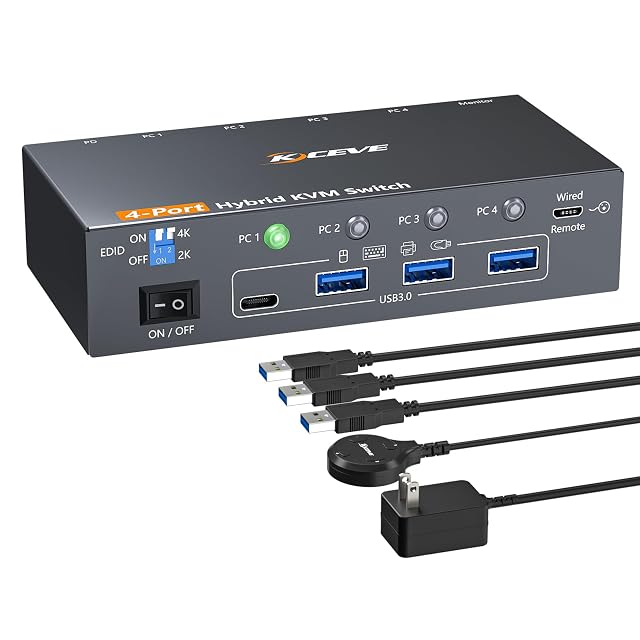
four computers · one screen · 4K at 60 Hz and 2K at 100 Hz · one DisplayPort, one USB-C and two HDMI inputs · four USB 3.0 at 5 Gbps · button or wired remote
A four-computer switch whose inputs are of three different kinds, quoting its resolutions and refresh rates as pairs and never listing what is in the box.
Best for: A desk where the four machines do not share a video socket between them, and where a drive has to follow whichever one is in use.
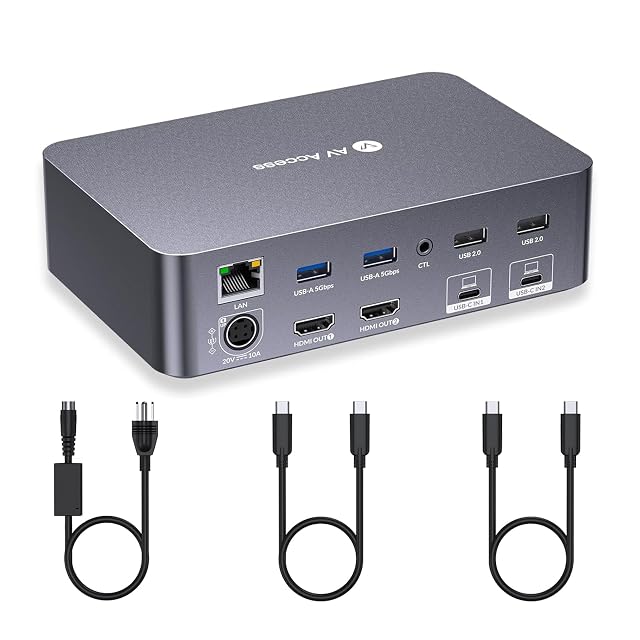
two laptops · two HDMI screens each · 4K over USB-C · seven USB sockets · Ethernet, SD and headset · 60 W charging each
A docking station that switches as well, carrying two screens, Ethernet, an SD slot, a headset jack and 60 W of charging for each laptop, and publishing no refresh rate at all.
Best for: A desk where a work laptop and a personal one share two screens, the network, the card reader and a charger as well as the keyboard.